
 [[{“value”:”
Moving from Safari to Chrome on an iPhone has never been simple. Until now, most data transfers between the two browsers required a desktop computer and a bit of patience. Google is preparing to change that with a new on-device migration tool that lets users bring their Safari data straight into Chrome without leaving the phone.
The information about this upcoming feature was first reported by The MacObserver, which spotted the new option being tested inside Chrome for iOS.
A Guided Import Built Right Into Chrome
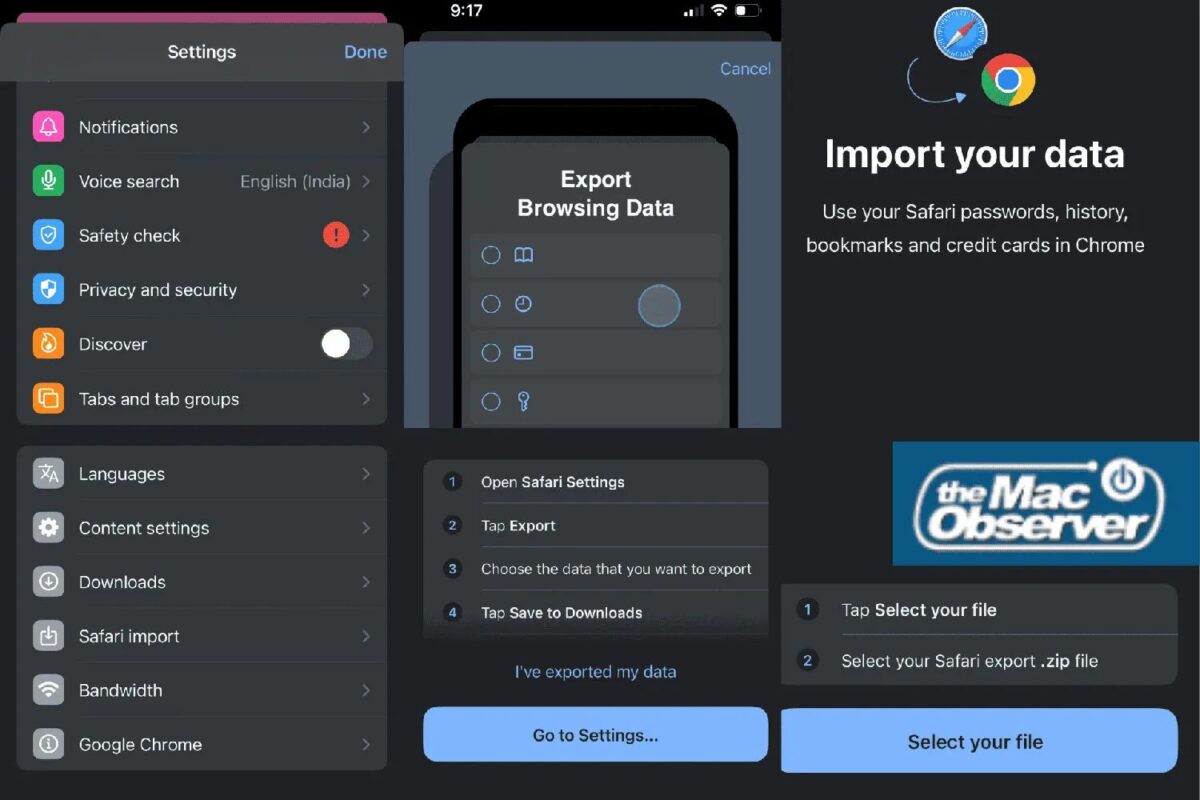
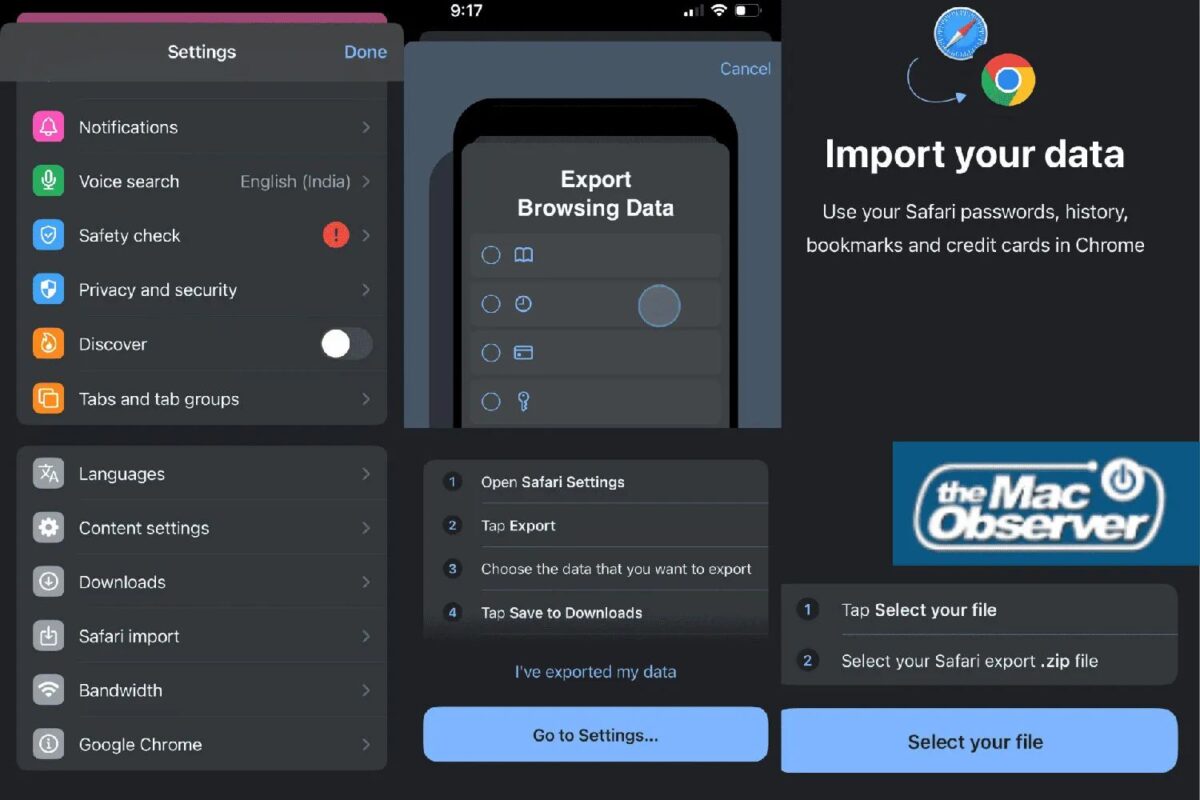
The upcoming feature will add a “Safari import” option inside Chrome for iOS. Instead of manually copying passwords or bookmarks one by one, users will be able to export their browsing data from iPhone Settings and load it directly into Chrome.
The process relies on the ZIP file created in Settings > Apps > Safari > Export Browsing Data. Once that file is ready, Chrome will guide users through a step-by-step setup where they can choose what to import. Options include saved passwords, credit card details, browsing history, and bookmarks. Google also makes it clear that imported information will be stored in the user’s Google Account.
Also Check: Safari vs Chrome: Which browser is better for your iPhone and Mac
Privacy Checks After The Transfer
One thoughtful touch is what happens after the import finishes. Chrome will remind users that the ZIP file still contains sensitive personal data and will offer a one-tap option to delete it immediately. This small step could prevent people from accidentally leaving a file full of passwords sitting on their device.
When Will It Arrive?
The tool is already being tested in Chrome 145 through Apple’s TestFlight program. Since Chrome 144 is currently the public release, the new feature is expected to reach regular users in the coming weeks.
For iPhone owners who prefer Chrome’s syncing, extensions on desktop, or deeper Google integration, this update removes one of the biggest barriers to switching browsers. It feels like a simple quality-of-life change, but for many users, it could be the reason they finally move away from Safari.
The post Switching From Safari to Chrome on iPhone Is Getting Easier appeared first on iGeeksBlog.”}]]




This Post Has 0 Comments