
 [[{“value”:”

At a glance
Expert’s Rating
Pros
- Great image and text quality
- Height-adjustable stand is standard
- Several connectivity options
Cons
- No built-in webcam
- 70Hz max refresh rate may not be high enough for gamers
Our Verdict
If you’ve been holding out for a 5K 27-inch display, take a look at the BenQ MA270S. It’s a good alternative to the Apple Studio Display with excellent image quality and more diverse connection options.
Price When Reviewed
This value will show the geolocated pricing text for product undefined
Best Pricing Today
Best Prices Today: MA270S

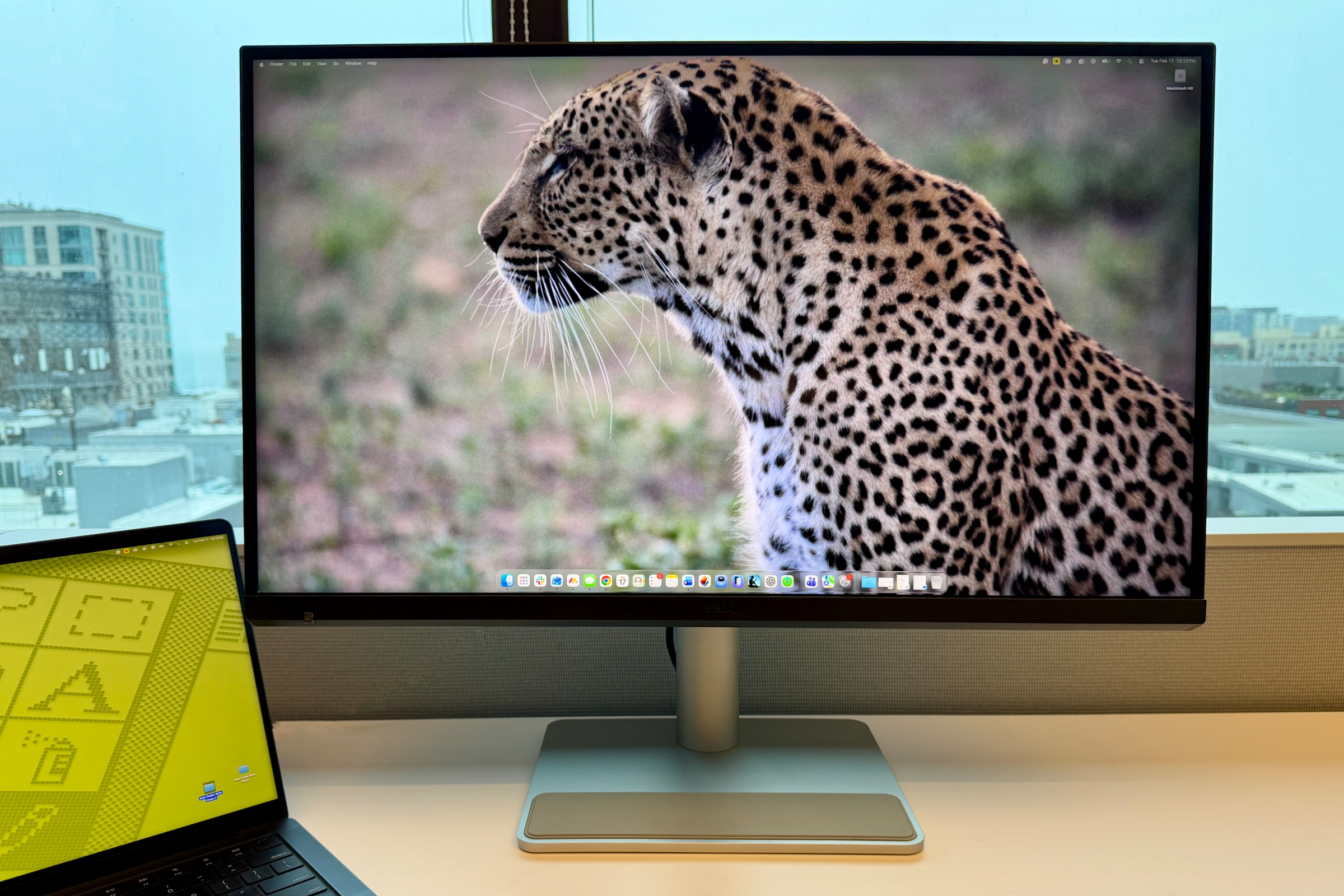
BenQ has been doing a great job with its displays geared towards Mac users. I’ve reviewed the MA270U and the MA270UP and recommend them. But those 27-inch displays do have one specific feature that may be a no-go for some customers: They are 4K displays, not 5K like the Apple Studio Display. Most people will be fine with 4K, but for others, that’s a deal breaker.
Good news: BenQ now has a 5K offering, the new MA270S. It basically looks the same as the others, except it’s now a direct competitor to the high-resolution Studio Display. More good news: the MA270S lives up to the standard set by its two predecessors, with a great combination of image quality, features, and price.
Specifications
| Size | 27 inches |
| Glass front | Nano Gloss Panel |
| Aspect ratio | 16:9 |
| Native resolution | 5120 by 2880 |
| Panel type/Backlight | IPS/LED backlight |
| Response time | 5 ms |
| Contrast ratio | 2000:1 |
| Refresh rate | 70Hz |
| Color depth | 10-bit |
| Brightness | 450 nits |
| Dimensions with stand (horizontal) | Highest height: 22.1 by 24.2 by 8.7 inches (560.1 by 613.8 by 220.2mm) Lowest height: 17 by 24.2 by 8.7 inches (430 by 613.8 by 220.2mm) |
| Weight with stand | 19.05 lbs (8.64 kg) |
BenQ MA270S: Design and build
The MA270S takes its design cues from its 4K brethren. It’s almost exactly like those two displays, with a plastic case and bezels that are less than 1mm. The one major difference is that BenQ moved the Visual Optimizer Sensor to the lower left of the front of the display. While it disrupts the previously clean line, it doesn’t stand out. You see it, but it’s not distracting.
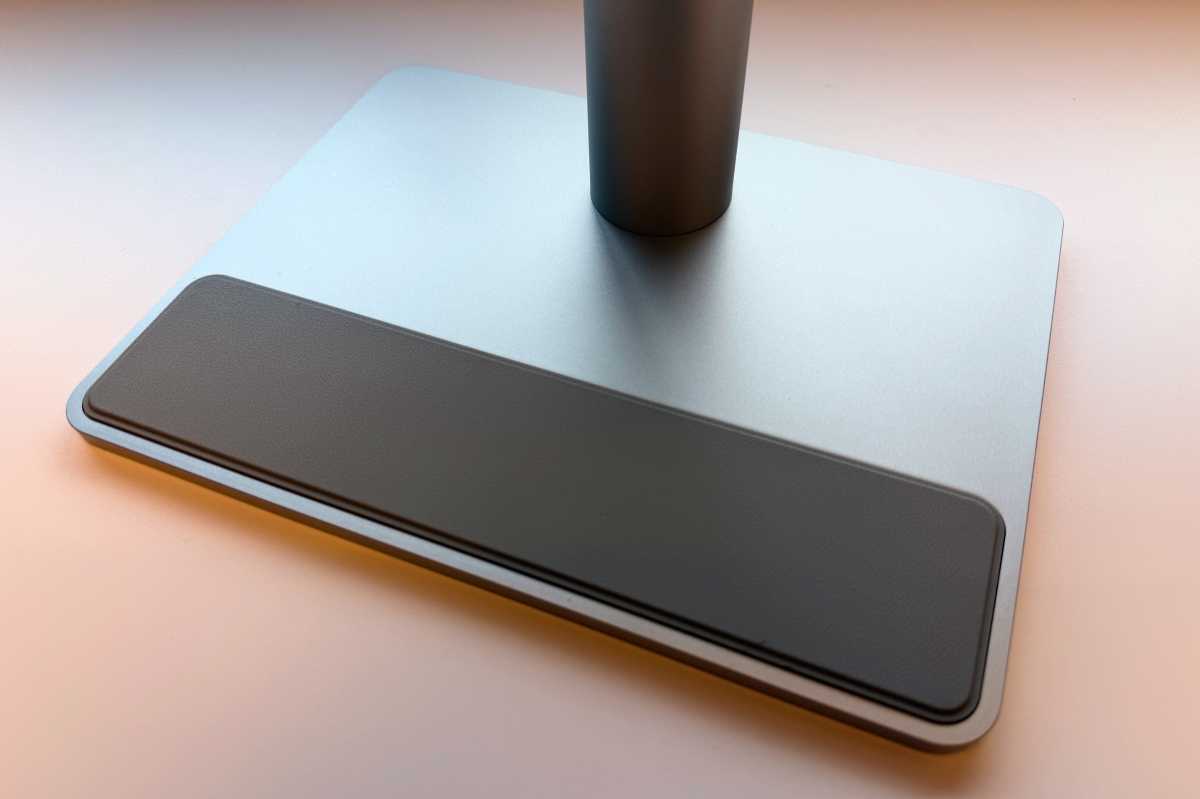
The MA270S’s base has a protective pad for resting an iPhone, AirPods, etc
.
Foundry
The Visual Optimizer Sensor automatically adjusts the display’s brightness based on the room’s lighting. Placing it on the front allows the brightness to be closer in tune with what the user perceives. It’s a thoughtful change.
A few months ago, BenQ released the MA270UP, which implements the company’s Nano Gloss Panel. The MA270S also uses the same panel, so it’s a glossy display and not available in matte. Apple’s Studio Display is also glossy, but it has a Nano-texture glass (matte) option that increases the price by $300.
I didn’t experience any glare or eye fatigue while using the MA270S, issues that can occur while using a glossy display. Glossy is preferred by users who want colors that are vivid and black reproduction that is deep–some may say a matte screen, by comparison, has a washed-out appearance.
BenQ MA270S: Ports
The MA270S has the following ports:
- Two HDMI 2.0 ports
- One 35W PowerDelivery USB-C port
- One 96W PowerDelivery Thunderbolt 4 port
- One 15W PowerDelivery Thunderbolt 4 port
- Two USB-A (USB 3.2 Gen 2, 10Gbps, 7.5W)
- One USB-C downstream (USB 3.2 Gen 2, 10Gbps, 15W)
- 3.5mm headphone jack
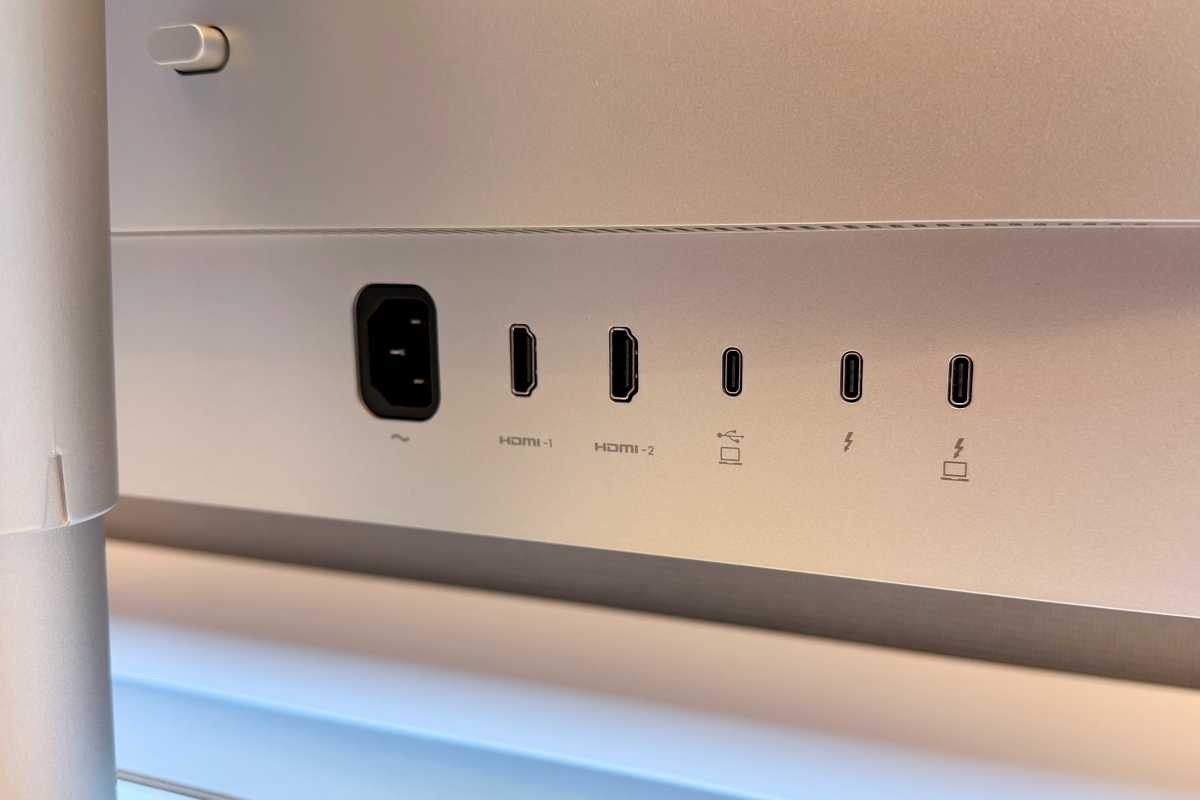
Macs can connect via HDMI, USC-C, or Thunderbolt.
Foundry
MacBooks can connect to the display via HDMI, USB-C, or Thunderbolt, and I used all three types without any issues. However, if you connect via HDMI, your MacBook does not charge while connected–HDMI connections don’t provide power. If you want to use the display as a hub, you need to connect the MacBook to USB-C or Thunderbolt.
BenQ MA270S: Image quality
The MA270S produces pleasing images of great quality, and the text looks sharp. In the Macworld office, I usually use a 4.5K iMac to produce the Macworld Podcast in the studio, and when I switched to a MacBook Pro connected to the BenQ display, I could easily see the upgrade in quality. The blacks are richer, colors are rich, and text looks crisp. This display, like the other MA270 displays, is impressive.
One small upgrade that the MA270S offers over the other BenQ displays is a 70Hz refresh rate, slightly higher than the standard 60Hz (which Studio Display uses). I didn’t notice a difference in general everyday use, but those with a more discerning eye might notice the difference over other monitors when scrolling or watching videos. The MA270S’s refresh rate is fixed at 70Hz, so if you want a faster rate (90Hz or 120Hz), you’ll need to look elsewhere.
BenQ MA270S: Price
The MA270S is priced at $999, and the company is offering a special deal where if you buy two displays, the second display is 20 percent off. This offer is good during the March pre-order period. At $999, it’s significantly cheaper than the $1,599 Apple Studio Display. Keep in mind that if you want a height-adjustable stand with Apple’s display, you have to pay an extra $400–a feature that’s standard on BenQ’s display–so you end up paying Apple $1,999, and at that price, you can buy two BenQ displays. The MA270S tilts, swivels, and pivots 90 degrees, though you won’t get a webcam or Spatial Audio speakers.
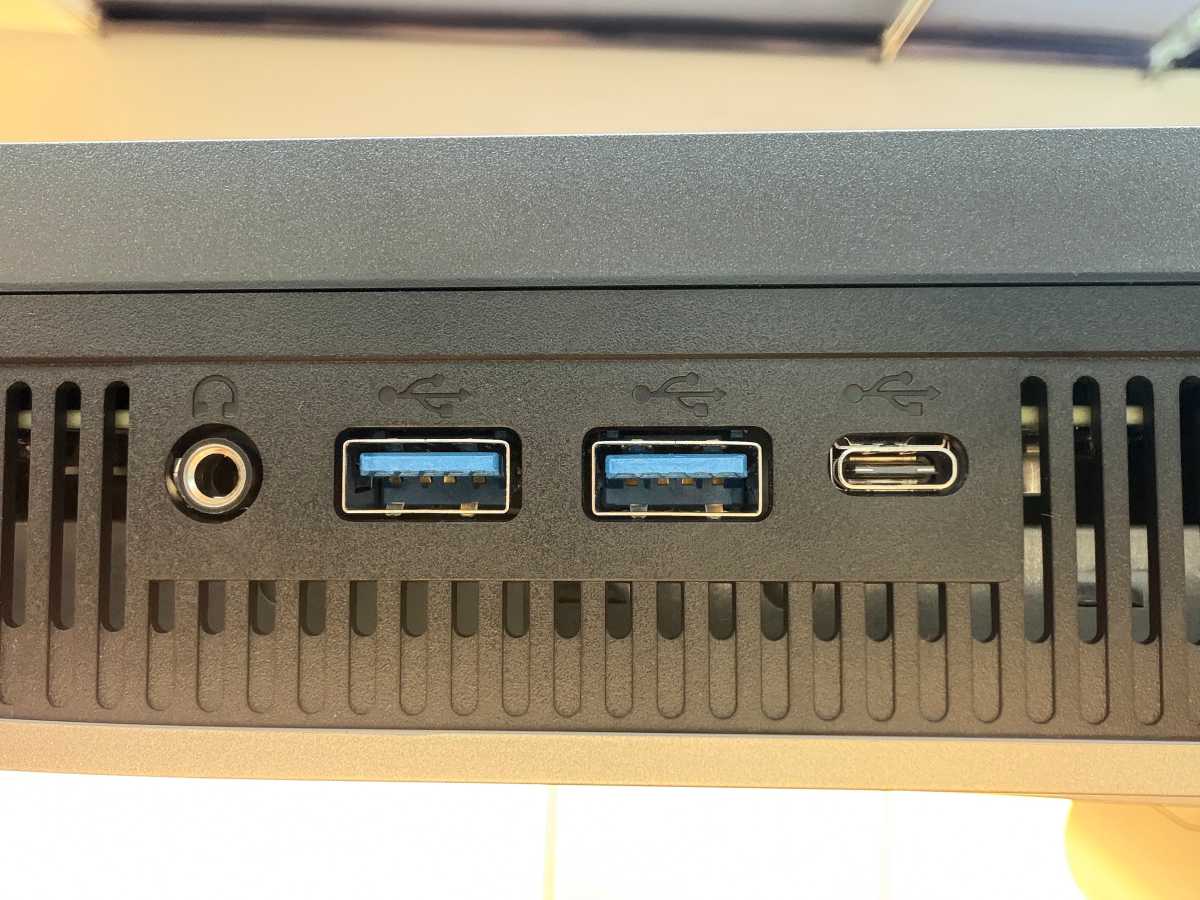
USB and a headphone jack are located on the bottom of the display for easy access.
Foundry
Should you buy the BenQ MA270S?
If you’ve been holding out for a 5K 27-inch display, take a look at the BenQ MA270S. It’s a good alternative to the Apple Studio Display; the MA270S matches its image quality, while offering more options as a connection hub. One clear advantage the Studio Display has is a built-in webcam, which is missing from the MA270S, but the Studio Display is prohibitively more expensive if you need a height-adjustable stand.
Apple released the 2nd-gen Studio Display in March 2026, and it’s not all that different than the previous model. It still costs $1,599, and the upgrades are minor: Thunderbolt 5 and a better camera. It uses the same 5K, 60Hz panel as before, so unless you want a built-in webcam or Thunderbolt 5, there’s no reason to choose it over the MA270S.
Now read: Best Mac monitors: The Mac compatible displays we recommend
“}]]


This Post Has 0 Comments