
 [[{“value”:”
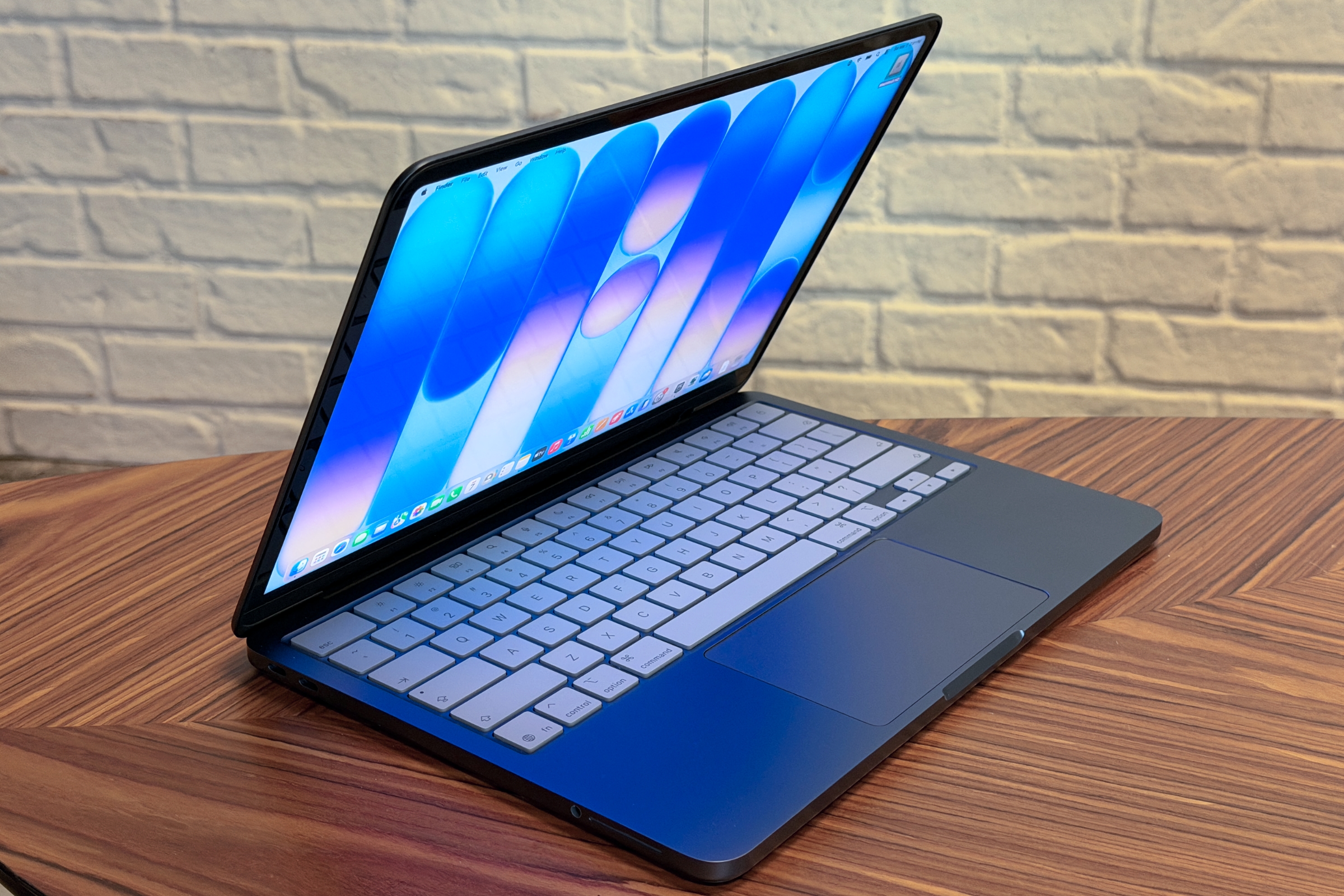
I noted in my MacBook Neo review that benchmarking the Neo as well as using it as a daily computer resulted in an experience that was quite satisfying. But that was only for a few days of very specific testing, and the Neo’s A18 Pro processor and 8GB of RAM, which can’t be upgraded at all, is certainly underpowered compared to the other M5 models.
The chip and 8GB of RAM had not been a problem during my evaluation period. You can obviously see the difference in benchmarks, where the mobile chip and limited RAM affected performance, but by “problem,” I mean as a person using the Neo. They weren’t an issue. But the concern is real–after all, Apple only upgraded its base RAM configuration for its other Macs to 16GB nearly two years ago.
So I decided to make it a problem–in other words, I used the MacBook Neo in ways to see if usability became problematic because of its low-end chip and 8GB of RAM. This meant I had to break my habits and purposefully push my Mac to its limit–and it left me a little frazzled at times. But what I found is that the Neo still feels capable under heavy loads and handled the “mess” better than I did. Here are some of the tasks I did to push the MacBook Neo as far as I could.
Editing 1080p video in Adobe Premiere Pro
As a reviewer of Macs, when people ask me for a recommendation, I ask them what kind of stuff they do on their computer, and then I try to fit what they do with a specific Mac. But as Sam Henri Gold points out, that’s a script reviewers like me use out of convenience. A lot of people want to do what they’ve been told not to do on a $599 computer like the MacBook Neo.
Foundry
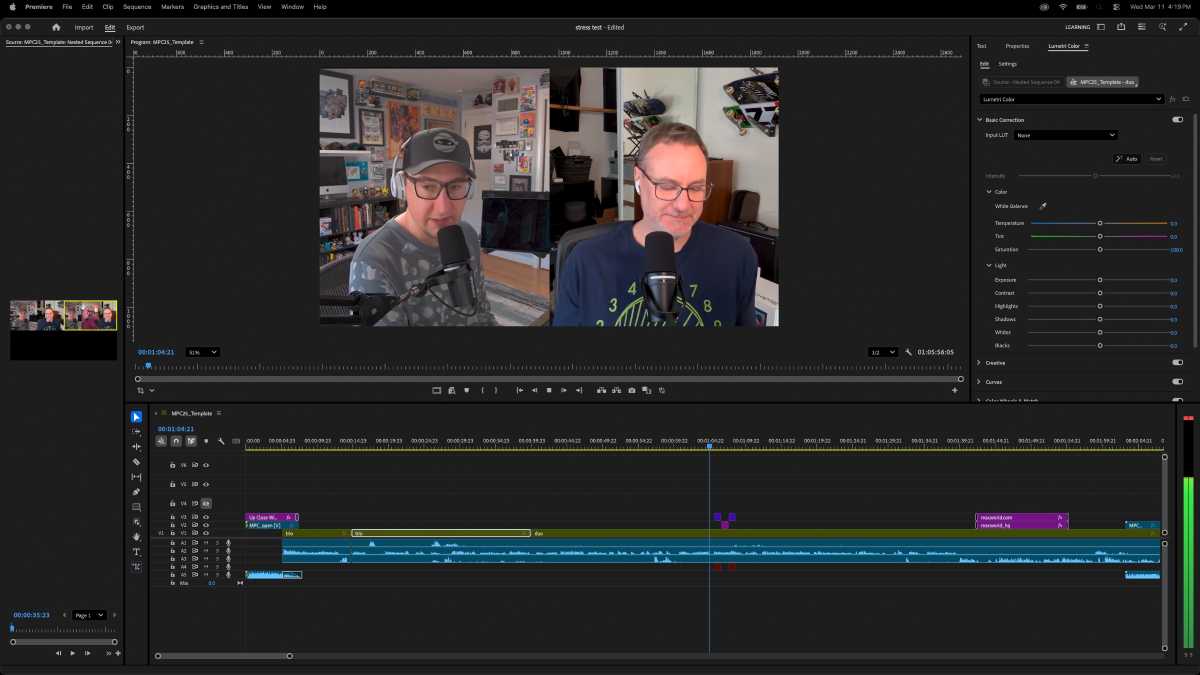
So I did one of those things you’re not supposed to do. I edited a few videos with Adobe Premiere Pro, a professional-level video editing tool. I edited episode 974 of the Macworld Podcast and a couple of video shorts with the MacBook Neo and its 8GB of RAM. The editing I did on the full podcast episode included basic trimming, adding lower thirds, a basic multi-camera setup, and some audio clean-up. The video shorts involved more editing, but nothing complex.
I am by no means an experienced Premiere Pro user (in fact, I only recently started learning how to use it). But that’s exactly the use case a MacBook Neo user could have: they have a budget computer, and they’re just starting to learn higher-end software. They’re not going to go buy a more powerful computer just for this situation.
And the whole experience went off without a hitch. I never had to wait for the Mac to catch up to what I was doing, nor did the MacBook Neo stall, hiccup, or churn. The only thing where I noticed a slowdown was in the export of the full podcast episode, where the 67-minute video at 1080p took 31 minutes to complete, about 10 minutes longer than it took on the M5 Max MacBook Pro.
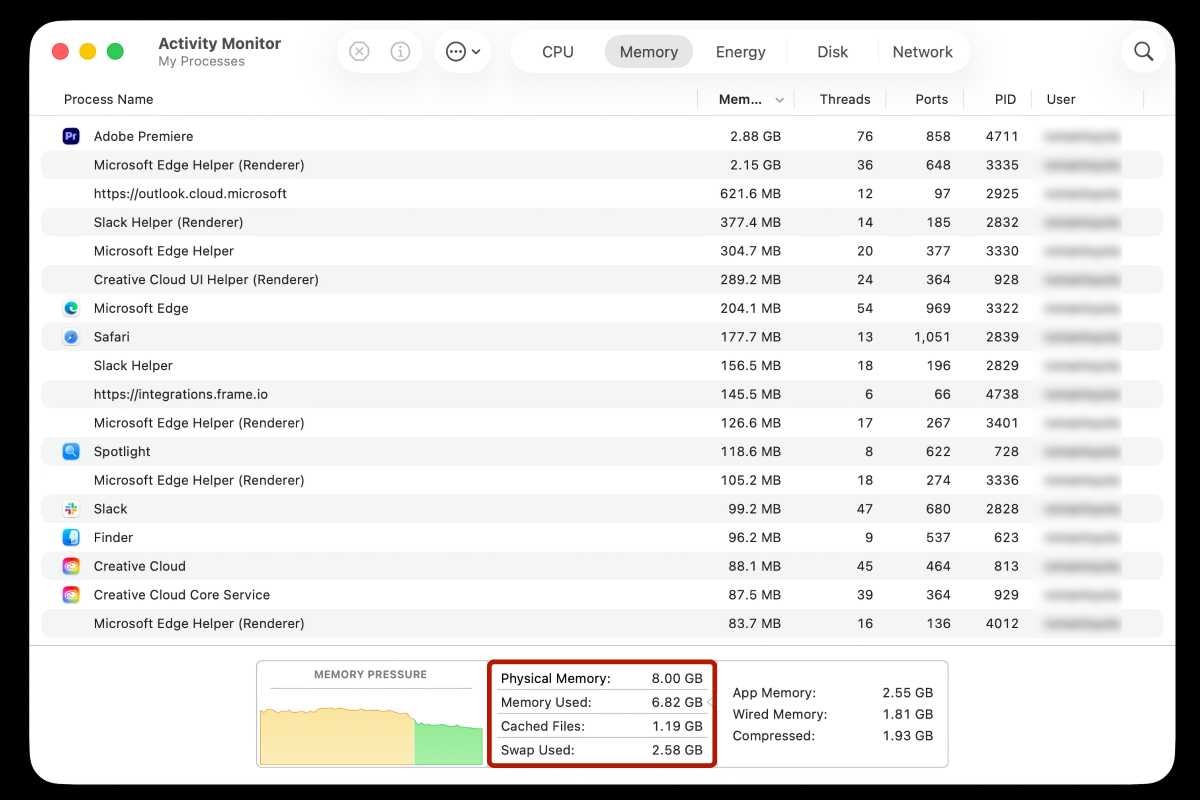
Below is a screenshot of Activity Monitor after I had finished the project and saved it, but did not quit the app. The only other apps that were open were Slack and Microsoft Edge (which I needed to access the online recording tool that we use for the podcast).
Foundry
I used up all of the available memory during these tasks, and macOS used the SSD as swap. When the Mac runs out of available RAM, it resorts to using the SSD. This is called swap memory, or just swap. A drawback of swap is that access speeds are slower than RAM, but Apple has a lot of confidence in its swap implementation. During this task, I ended up with 2.58GB in swap (which isn’t uncommon), but I never noticed a performance hit.
Swap use brings up a concern about how swap affects an SSD’s lifespan. An SSD has a limited lifespan, and writing to an SSD causes wear and tear. However, research has found that most people will never write enough data to an SSD to adversely affect its lifespan. As for the MacBook Neo specifically, it’s very possible that an owner of the laptop would upgrade to a new one before any effect on SSD lifespan can be noticed.
Editing 4K video in Adobe Premiere Pro
My next attempt to stress out the MacBook Neo was to edit 4K video in Adobe Premiere Pro. I shot the video using an iPhone 17 Pro Max at 4K and 60 frames per second. I had 20 minutes of footage where I did some basic edits, titles, transitions, and color adjustments. The only other app that was open during editing was Safari.
I kept expecting the MacBook Neo to stutter and lag, but it never did. Another experience without any issues. I wasn’t doing anything complicated, but I was working with a large file and doing the kind of stuff someone learning Premiere would do. I could’ve used iMovie, but as I said, I’m learning the software, and I feel like the tasks I did were more easily done in Premiere Pro. Plus, using an Apple app is basically cheating.
Foundry
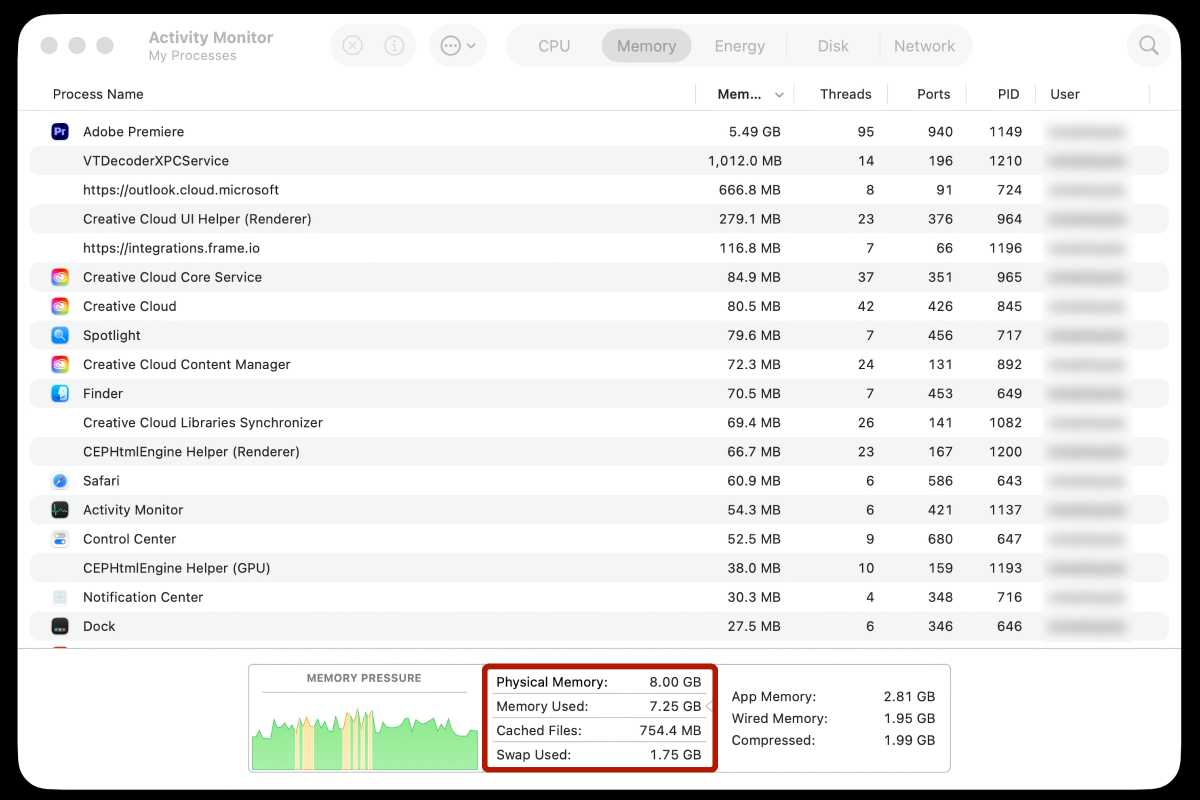
When I finished that project, the MacBook Neo used 1.75GB in swap. Not a lot, and it would have been more had the project been more complicated and longer.
What I learned from this experience is that as I continue to use Adobe Premiere Pro and develop my skills as an editor, I should be fine with the MacBook Neo for a while. I may never need to create a cinematic video, but I can progress towards that goal on the Neo. I think there are a lot of users who are in a similar situation. Even a pro who already knows what they can do and knows what Macs they want can use a Neo if the situation calls for it.
Safari browser tabs
This is the task that stressed me more than the MacBook Neo. I have a habit of closing any browser tabs I am not using. I’d rather not risk a hidden tab running in the background, affecting performance, even if that’s not supposed to happen.
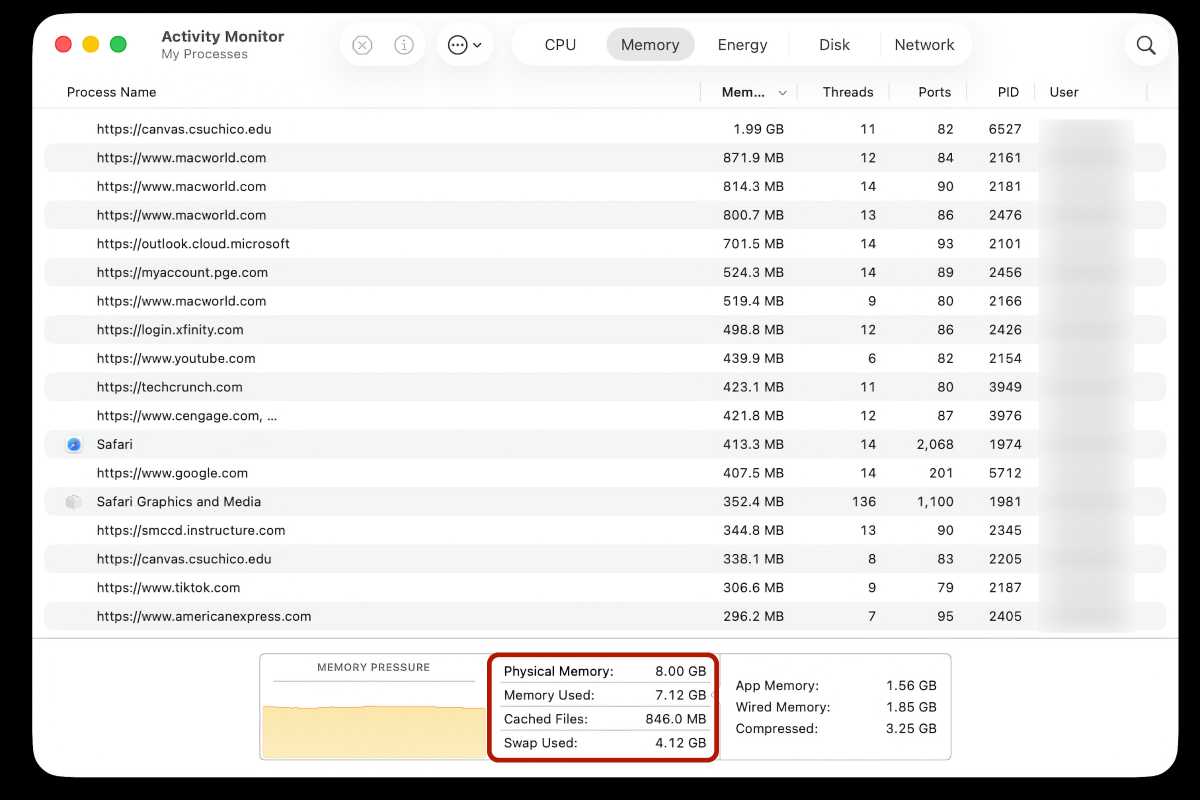
But I went against my nature and spent an afternoon working in Safari without closing a browser tab. During a four-hour session, I used Macworld’s web-based content tools, visited websites to research articles, and after I was done with work, I did some personal browsing. By the end, I had 41 tabs open in Safari (and just a little freaked out by it).
Foundry
A lot of users instinctively open new tabs when they start a new search, and many don’t close unused tabs. In case you didn’t know, browsers are RAM-hungry apps, which is why I developed a habit of closing unused tabs. In my experience, the MacBook Neo used over 4GB of swap, which will vary depending on how many Safari tabs you have open.
The MacBook Neo handled it all without any issues I could notice. But if you’re using any Mac with 8GB of RAM and it’s starting to feel a littlle sliggish, close a few or those tabs.
Google Chrome browser tabs
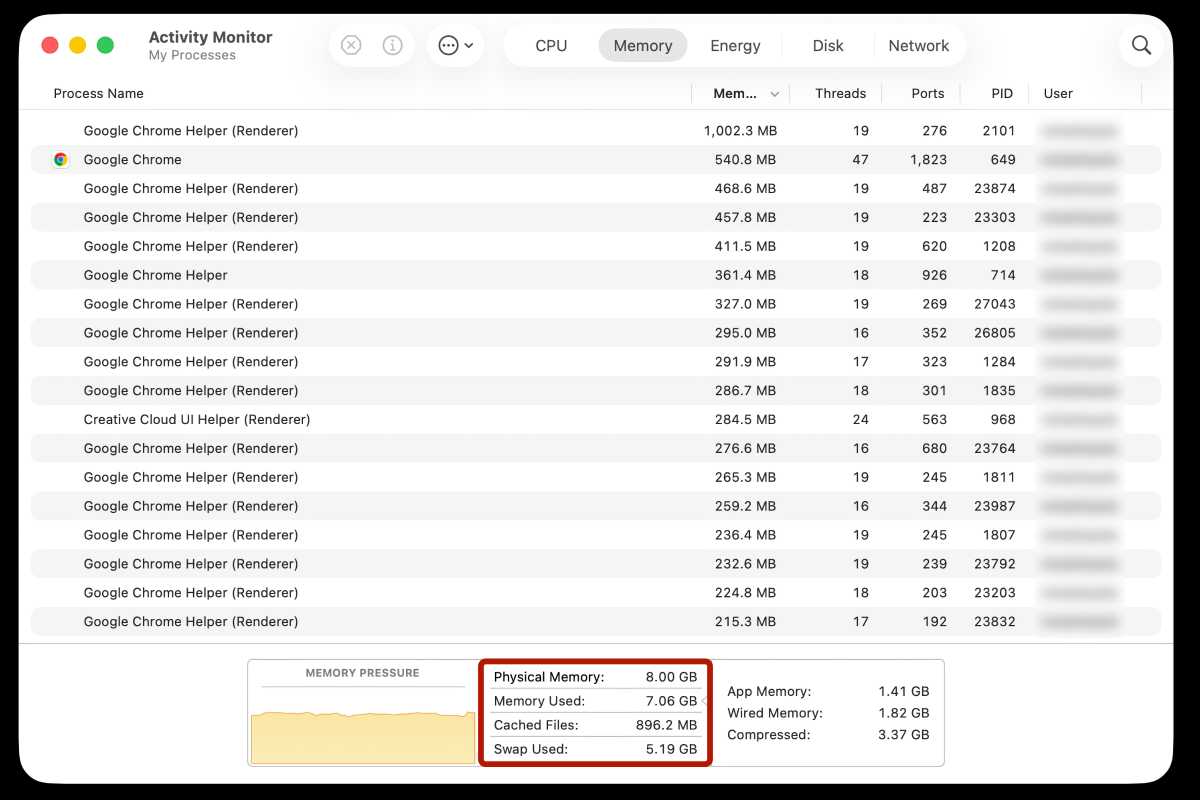
I did the same thing with Google Chrome: a four-hour session without closing any tabs. After a couple of hours, I had 41 tabs open (though not the same sites as in the Safari test). I set Chrome’s Memory Saver to Maximum and did my best to fight the urge to close any tabs until the session was done.
As I said, browsers are RAM hungry, and Google Chrome has a reputation as a particularly resource-hungry app. At the end of four hours, the MacBook Neo had a swap that was over 5GB. Again, I didn’t notice any performance hiccups.
Foundry
But once again, the MacBook Neo didn’t flinch. I could switch between tabs easily, and even when I used an app and kep Chrome open in the background, there was no noticeable performance hit.
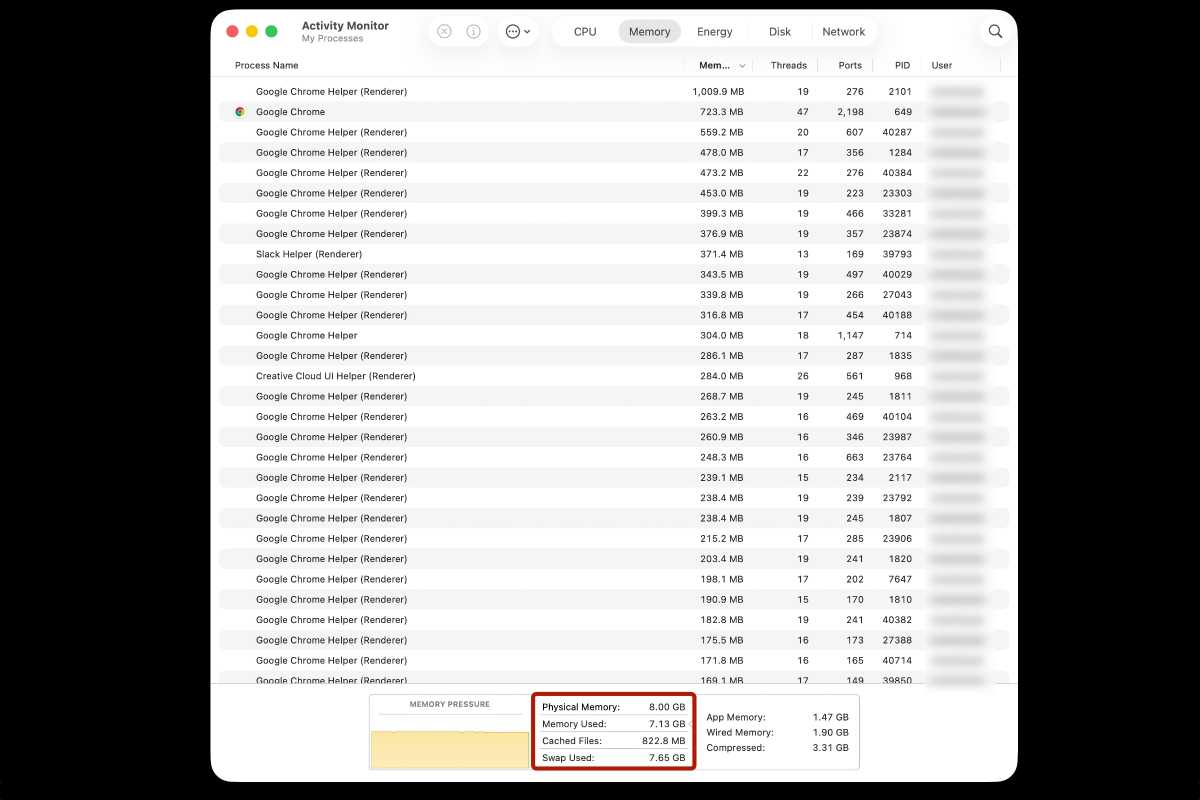
I wasn’t done, however. I pushed my browser until I had 59 tabs open, stopping only when it became way too difficult to navigate. The swap grew to nearly 8GB–the swap and the installed RAM were the same size. But still, the Neo powered through.
Foundry
Your milage may very
This is all anecdotal. Your video editing project could be much more complex, and the websites you visit could be more or less demanding on your resources. If you’re the type of person who knows 8GB of RAM isn’t enough, then the MacBook Neo isn’t for you, but making a blanket statement that it’s not good for anyone isn’t correct.
My experience with the MacBook Neo remains the same as it was during the review. It’s a great Mac for everyday tasks, and will even handle the occasional pro app. I’m sure there’s a ceiling to what you can do with it, but with so much headroom, there’s a good chance you’ll never get anywhere near it.


“}]]



This Post Has 0 Comments