

In this article I am going to show you cool Android feature, introduced in 2012, and I will try to write UI in Compose for it.
While exploring the depths of the Android system, I stumbled upon a feature that stole my attention. The class I discovered not only intrigued me with its name, but also surprised me yet again with the interesting features hidden within Android.
Back in 2012 Android System UI team introduced in Android 4.2 new feature Daydream, that allows to show content for user while phone is sleeping. You can simple draw any UI or animation for user while they phone is charging. UI elements may also have buttons so in general, it is possible to create a production-ready feature screen. Unfortunately, this feature can’t be enabled automatically. Users must enable it in the Display Settings.
The architecture of this feature similar to adding regular Service. First need to declare new component in the Manifest:
<service
 android:name=".MyDreamService"
 android:exported="true"
 android:description="@string/dream_service_description"
 android:icon="@drawable/dream_service_icon"
 android:label="@string/dream_service_label"
 android:permission="android.permission.BIND_DREAM_SERVICE">

 <intent-filter>
    <action android:name="android.service.dreams.DreamService" />
    <category android:name="android.intent.category.DEFAULT" />
 </intent-filter>
</service>
The official documentation shows simple example of implementing UI for DreamService:
class MyDreamService : DreamService() {

    override fun onAttachedToWindow() {
        super.onAttachedToWindow()

        isInteractive = false;
        isFullscreen = true;
        setContentView(R.layout.dream_service_layout);
    }
}
After that you can see you daydreamer in action
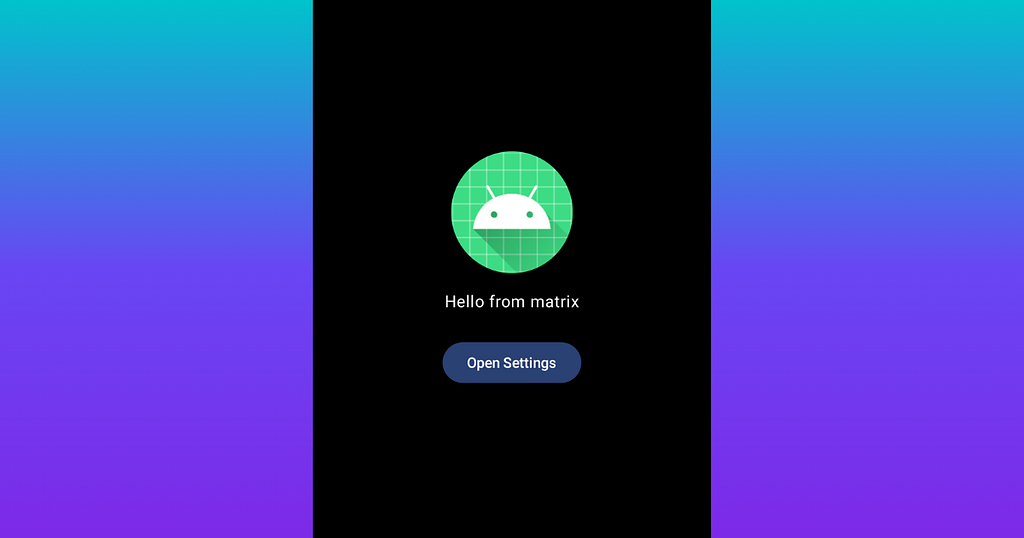
Then question that came to mind — can I create UI in Compose? So, lets try to implement it
As long as setContentView requires only View , we have to make ComposeView
val composeView = ComposeView(this).apply {
    setContent {
        DreamServiceTheme {
            DreamScreen(
                onOpenSettings = { openSettingsAndExitDream() }
            )
        }
    }
}

setContentView(composeView)
Heres the tricky part. Android Service doesn’t really work with View and for this reason Service misses some important for us API. DreamService doesn’t implement
- ViewTreeLifecycleOwner
- SavedStateRegistryOwner
To solve this issue we can extend out DreamService with SavedStateRegistryOwner
class MyDreamService : DreamService(), SavedStateRegistryOwner
That requires us to implement lifecycle and savedStateRegistry
class MyDreamService : DreamService(), SavedStateRegistryOwner {

    private val lifecycleRegistry = LifecycleRegistry(this)
    private val savedStateRegistryController = SavedStateRegistryController.create(this)

    override val lifecycle: Lifecycle
        get() = lifecycleRegistry
    override val savedStateRegistry: SavedStateRegistry
        get() = savedStateRegistryController.savedStateRegistry

    // ...
}
This two property you can call in each DreamService callback so the lifecycle will be in sync with the Compose View. Then we can simple set owner and registry to you ComposeView:
val composeView = ComposeView(this).apply {
    setViewTreeLifecycleOwner(this@MyDreamService)
    setViewTreeSavedStateRegistryOwner(this@MyDreamService)
    // ...
}
Hope this feature enrich you answer during technical interview since now you know that Activity is not the only component that can represent UI.
Finally find the Android Service of your dreams after 13 years was originally published in ProAndroidDev on Medium, where people are continuing the conversation by highlighting and responding to this story.




This Post Has 0 Comments