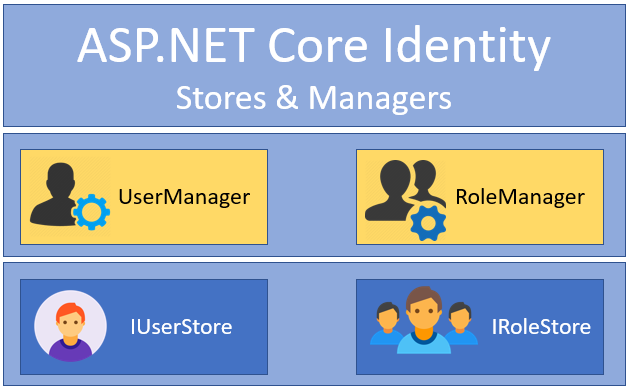


To use Identity authentication in .NET, you will need to install the Microsoft.AspNetCore.Identity package and add it to your project.
Here is an example of how to set up Identity authentication in a .NET Core MVC application:
- In your
Startup.csfile, add the following lines in theConfigureServicesmethod to add Identity services to your project:
services.AddDefaultIdentity<IdentityUser>(options =>options.SignIn.RequireConfirmedAccount = true) .AddEntityFrameworkStores<ApplicationDbContext>();- In the
Configuremethod, add the following line to add the Identity middleware to your request pipeline:
app.UseAuthentication();- Create an
ApplicationDbContextclass that inherits fromIdentityDbContextand specify the type of user you want to use (e.g.IdentityUser). This will be used to store the user accounts in a database:
public class ApplicationDbContext : IdentityDbContext<IdentityUser> { publicApplicationDbContext(DbContextOptions<ApplicationDbContext> options) : base(options) { } }- In the
ConfigureServicesmethod, register theApplicationDbContextwith the dependency injection (DI) container:
services.AddDbContext<ApplicationDbContext>(options => options.UseSqlServer( Configuration.GetConnectionString("DefaultConnection")));- Create a migration and update the database to create the necessary tables for storing user accounts:
dotnet ef migrations add InitialCreate dotnet ef database update- Add the
[Authorize]attribute to the controllers or actions that you want to protect with authentication. - In your Razor views, you can use the
@if (SignInManager.IsSignedIn(User))to check if the user is authenticated and display different content depending on the user’s authentication status.
Here is an example of a razor view that displays a login link for unauthenticated users and a logout link for authenticated users:
@if (SignInManager.IsSignedIn(User)) { <a asp-area="Identity" asp-page="/Account/Logout">Logout</a> } else { <a asp-area="Identity" asp-page="/Account/Login">Login</a> }I hope this helps! Let me know if you have any questions.





This Post Has 0 Comments