
As Android development moves toward Jetpack Compose, managing UI state and business logic becomes more important than ever. Many developers struggle with keeping UI code clean while handling complex logic. When UI and logic are mixed together, the code becomes difficult to maintain and test.
To solve this problem, Slack introduced Circuit, a lightweight architecture framework designed specifically for Compose.
Slack Circuit helps developers build scalable Compose applications by separating UI, state, and logic in a clean and predictable way.
What is Slack Circuit?
Circuit is an architecture framework developed by Slack for building Compose-based applications. It follows a unidirectional data flow pattern where the UI displays state and sends events, while the presenter handles the business logic.
Instead of putting logic directly inside Composable functions or ViewModels, Circuit introduces a Presenter layer that prepares the UI state and handles user events.
The main idea is simple: the UI should only display state and send user actions, while the presenter manages how the state changes.
Core Concept
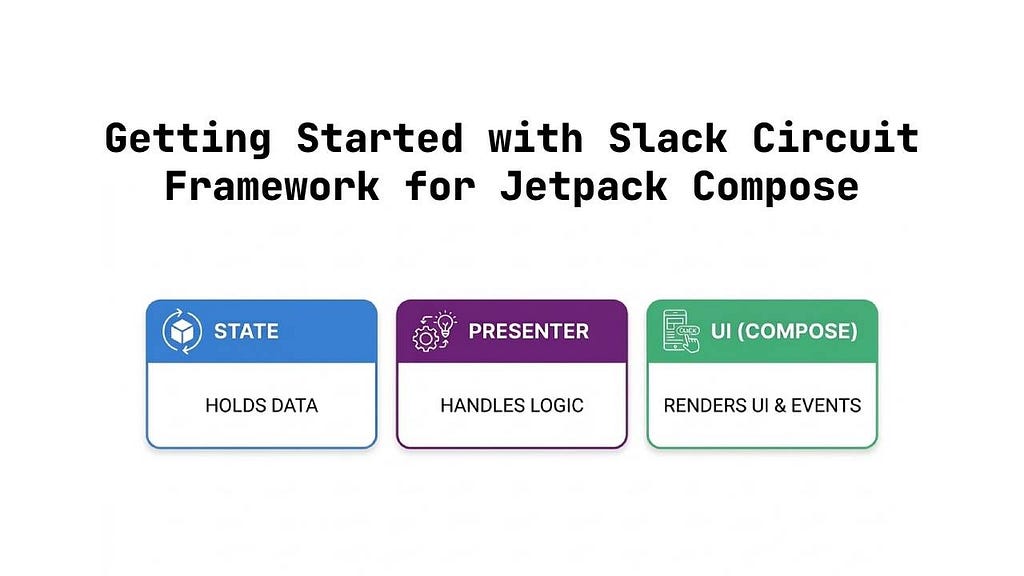
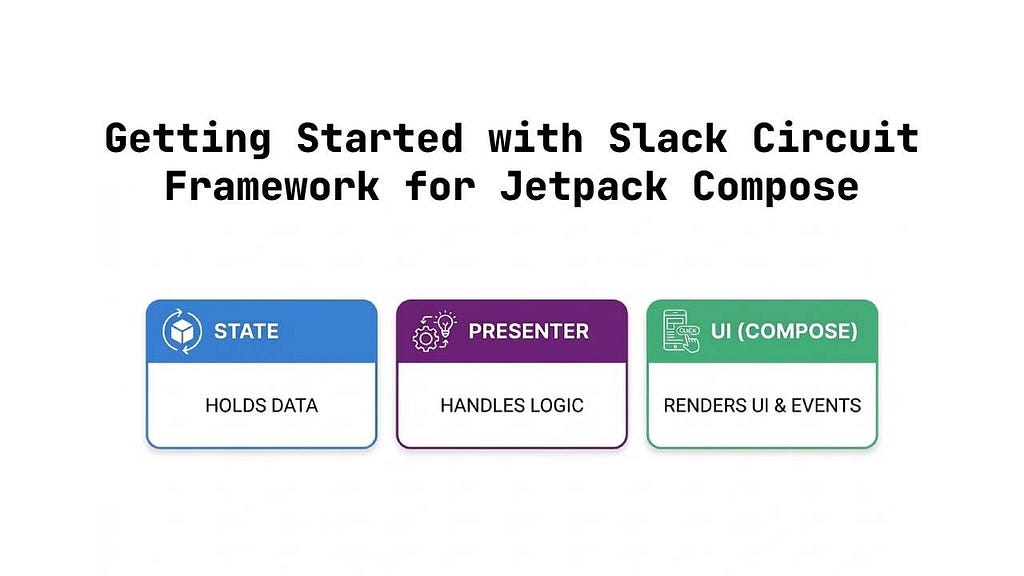
Circuit architecture revolves around a few simple components:
- A Screen represents a destination in the app.
- A Presenter contains the logic and produces the UI state.
- A State holds the data needed by the UI.
The UI is a Composable that renders the state and sends user events.
The flow is very predictable: User interaction triggers an event → the presenter processes it → the state updates → the UI recomposes. This predictable flow makes debugging and testing much easier.
Example: Simple Counter app with navigation
// dependencies
implementation("com.slack.circuit:circuit-foundation:0.33.1")
implementation("com.slack.circuit:circuit-runtime:0.33.1")
implementation("com.slack.circuit:circuit-overlay:0.33.1")
Step-1: Define typed screens
@Parcelize
data object HomeScreen : Screen, Parcelable

@Parcelize
data class DetailsScreen(val count: Int) : Screen, Parcelable
DetailsScreen carries count as a typed argument. No route strings, no manual parsing, fewer runtime mistakes.
Step-2: Model events and UI state
sealed interface HomeEvent : CircuitUiEvent {
    data object Increment : HomeEvent
    data object Next : HomeEvent
}

data class HomeState(
    val count: Int,
    val eventSink: (HomeEvent) -> Unit
) : CircuitUiState
HomeState is the contract for the UI. UI doesn’t decide business behavior; it sends events through eventSink
Step-3: Keep behavior in the Presenter
class HomePresenter(
    private val navigator: Navigator
) : Presenter<HomeState> {

    @Composable
    override fun present(): HomeState {
        var count by remember { mutableIntStateOf(0) }

        return HomeState(count) { event ->
            when (event) {
                HomeEvent.Increment -> count++
                HomeEvent.Next -> navigator.goTo(DetailsScreen(count))
            }
        }
    }
}
The Presenter is the feature brain and is similar to a ViewModel in MVVM. It handles the main logic, updates state (count++), and performs actions like navigation (goTo(DetailsScreen(count))). This keeps side effects out of Composables and keeps the UI clean.
Step-4: Wire Circuit once in MainActivity
val circuit = Circuit.Builder()
    .addPresenterFactory { screen, navigator, _ ->
        when (screen) {
            is HomeScreen -> HomePresenter(navigator)
            is DetailsScreen -> DetailsPresenter(screen, navigator)
            else -> null
        }
    }
    .addUiFactory { screen, _ ->
        when (screen) {
            is HomeScreen -> ui<HomeState> { state, modifier ->
                HomeUi(state, modifier)
            }
            is DetailsScreen -> ui<DetailsState> { state, modifier ->
                DetailsUi(state, modifier)
            }
            else -> null
        }
    }
    .build()
setContent {
    val backStack = rememberSaveableBackStack(HomeScreen)
    val navigator = rememberCircuitNavigator(backStack)

    CircuitCompositionLocals(circuit) {
        NavigableCircuitContent(
            navigator = navigator,
            backStack = backStack
        )
    }
}
This central registration gives a single source of truth for screen-to-feature mapping and navigation rendering.
Step-5: Keep UI composables simple
@Composable
fun HomeUi(
    state: HomeState,
    modifier: Modifier = Modifier
) {
    Column(
        modifier = modifier.fillMaxSize(),
        horizontalAlignment = Alignment.CenterHorizontally,
        verticalArrangement = Arrangement.Center
    ) {
        Text("Count: ${state.count}")
        Button(onClick = { state.eventSink(HomeEvent.Increment) }) {
            Text("Increment")
        }
        Button(onClick = { state.eventSink(HomeEvent.Next) }) {
            Text("Go to Details")
        }
    }
}
Why Circuit is Useful
Why Circuit is Useful
Circuit encourages developers to keep logic separate from UI, which leads to a cleaner architecture. Because the presenter handles all state changes, the UI remains simple and focused only on rendering.
This separation improves code readability and makes it easier to test business logic without depending on UI components.
Circuit also works naturally with Jetpack Compose, making it a good choice for modern Android applications.
Conclusion
Slack Circuit provides a clean and scalable architecture for Compose applications. By separating UI, state, and logic, it helps developers build maintainable and testable apps.
If you are building medium or large Compose projects, Circuit can be a great architecture choice to keep your code organized and predictable.
Circuit encourages developers to keep logic separate from UI, which leads to a cleaner architecture. Because the presenter handles all state changes, the UI remains simple and focused only on rendering.
This separation improves code readability and makes it easier to test business logic without depending on UI components.
Circuit also works naturally with Jetpack Compose, making it a good choice for modern Android applications.
Getting Started with Slack Circuit Framework for Jetpack Compose was originally published in ProAndroidDev on Medium, where people are continuing the conversation by highlighting and responding to this story.





This Post Has 0 Comments