
 [[{“value”:”
If your Outlook Classic freezes or hangs when you use POP accounts or deal with PST files, you’ll need to remove Windows 11 KB5074109 or use webmail. In some cases, third-party apps can also become unresponsive if they save files to cloud storage, such as OneDrive. These two issues are apparently related to a single core problem.
It’s very rare for Microsoft to admit that it messed up, but the January 2026 Update is a disaster, as it continues to break features in Windows 11, including something as basic as Sleep mode (S3) on older PCs. In our tests, Windows Latest found that the update causes a black screen, resets the desktop background, breaks File Explorer customization, among other problems.
KB5074109 is a mandatory update that began rolling out on January 13, 2026 and it installed automatically on our PCs. However, some of us noticed that Outlook Classic no longer works, and you won’t be able to access your emails. This issue only affects the older Outlook Classic, not the newer web-based Outlook (new).
Windows Latest traced the issue to a POP account configured in Outlook Classic for Windows 11. I specifically use POP (Post Office Protocol) in Outlook to access my emails offline on a single device, and consolidate multiple accounts into one inbox
Outlook also crashes on Windows 11 25H2 if your Outlook profile has PSTs synced to OneDrive. For those unaware, PST (Personal Storage Table) is a local Outlook data file that stores your POP mail, Sent Items, drafts, calendar, contacts, and indexes on your PC.
In an update to a support document spotted by Windows Latest, Microsoft confirmed that it’s aware of the problem affecting Outlook. The company added that existing workarounds are “complicated,” so you’re recommended to use webmail. If it’s not possible to use webmail, you should remove Windows 11 KB5074109.
“Until a fix is available, please use webmail. The other workarounds may be complicated,” Microsoft noted. Either “Move PSTs out of OneDrive,” which is complicated, or “remove the Windows Update.” These are the other two workarounds if Outlook is no longer working on Windows 11.
Microsoft warns that there could be potential security issues if you remove Windows updates. For example, the January 2026 Update fixed more than 100 security issues.
How Windows 11 KB5074109 broke Outlook Classic
With POP accounts, Outlook writes everything to the PST. If that PST sits inside a OneDrive-synced folder, OneDrive’s sync engine can grab or hold the file while it scans or uploads.
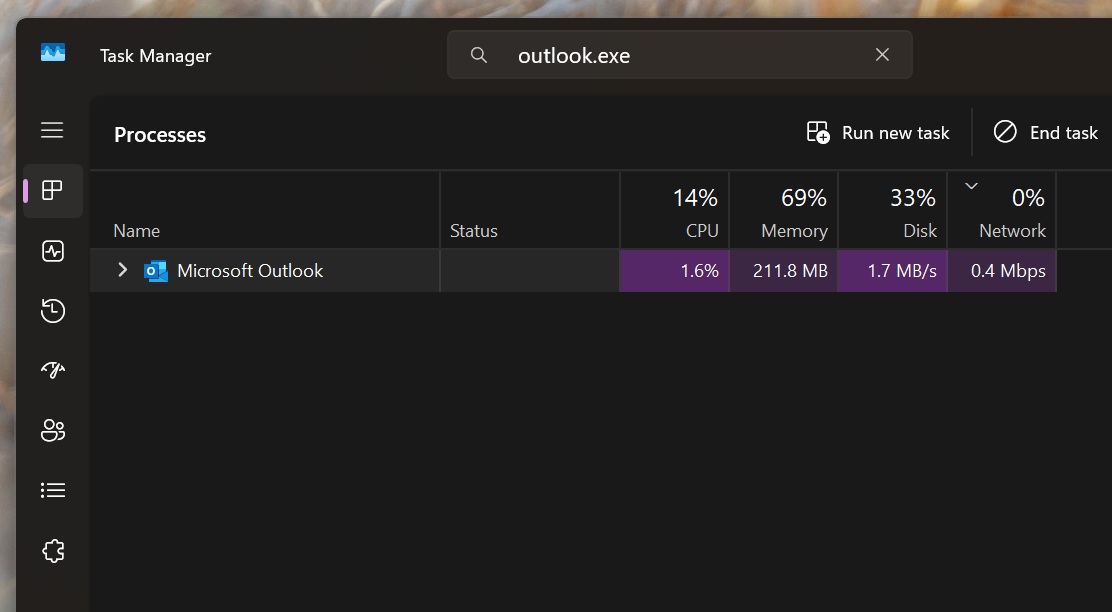
In other words, when you quit Outlook, and it attempts to write Sent Items on exit into the PST, OneDrive may keep a lock or open handle. In that case, Outlook waits for the PST operation to finish, but it can’t cleanly close, and Outlook.exe always stays running in the background.
Microsoft confirmed that Windows 11 KB5074109 not only crashes Outlook, but also affects the ‘Sent items’ folder, as emails won’t show up despite being sent. Outlook won’t be able to redownload emails, and often gets stuck at Not Responding unless you end the Outlook.exe process or reboot Windows every time you open the Outlook app.
Microsoft says some apps might become unresponsive in the January 2026 Update
In another updated support document, Microsoft quietly confirmed that some apps may become unresponsive or run into errors. This could block users from saving or opening files saved to OneDrive or Dropbox.
“If you are experiencing this issue, please contact the application developer for possible alternative methods of accessing the files,” Microsoft confirmed.
“We are actively working on a resolution and will share an update as soon as more information becomes available,” the company added.
The post Microsoft says uninstall Windows 11 KB5074109 to fix Outlook POP, PST hang, as 2026’s first update causes havoc appeared first on Windows Latest
“}]]



This Post Has 0 Comments