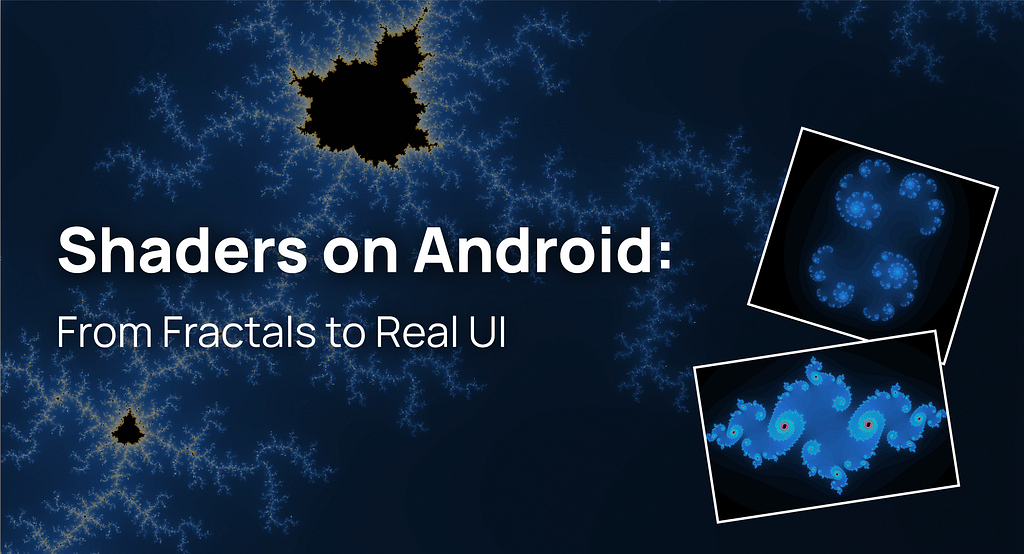


Years ago at School 42, I spent nights rendering fractals in pure C. When AGSL arrived in Android, I felt a surge of nostalgia and overconfidence. I thought: “If I can code a Mandelbrot set, I can replace all my Lottie and 3D animations with pure math shaders.”
Spoilers: I was wrong.
In this article, I’ll show you how I brought the Julia set into Jetpack Compose, why my attempt to “shader-ify” every animation failed miserably, and how I eventually found the perfect use case: creating high-performance, breathtaking backgrounds that pre-rendered assets simply can’t match.
Mandelbrot set
When I first started exploring AGSL, I wanted to test its limits with something truly demanding. The Mandelbrot set was the perfect choice — a classic “stress test” for graphics. There are no pre-baked textures or image assets here; every single pixel you see on the screen is the result of a mathematical formula calculated in real-time.
For me, the biggest shift in mindset was how we approach drawing. In a standard Compose Canvas, we give commands like “draw a circle” or “render an icon.” With shaders, it’s different. I’m writing a program that runs simultaneously for every pixel on the screen. On a modern smartphone, that means the GPU implicitly runs this program in parallel for millions of pixels on every frame to determine the exact color of each point.
At the core of my shader is an iterative loop that checks how quickly a point “escapes” toward infinity. The more iterations I add, the more detailed the fractal becomes. On a CPU, running such a loop for every pixel would instantly freeze the app, but the GPU handles this massive parallelism effortlessly.
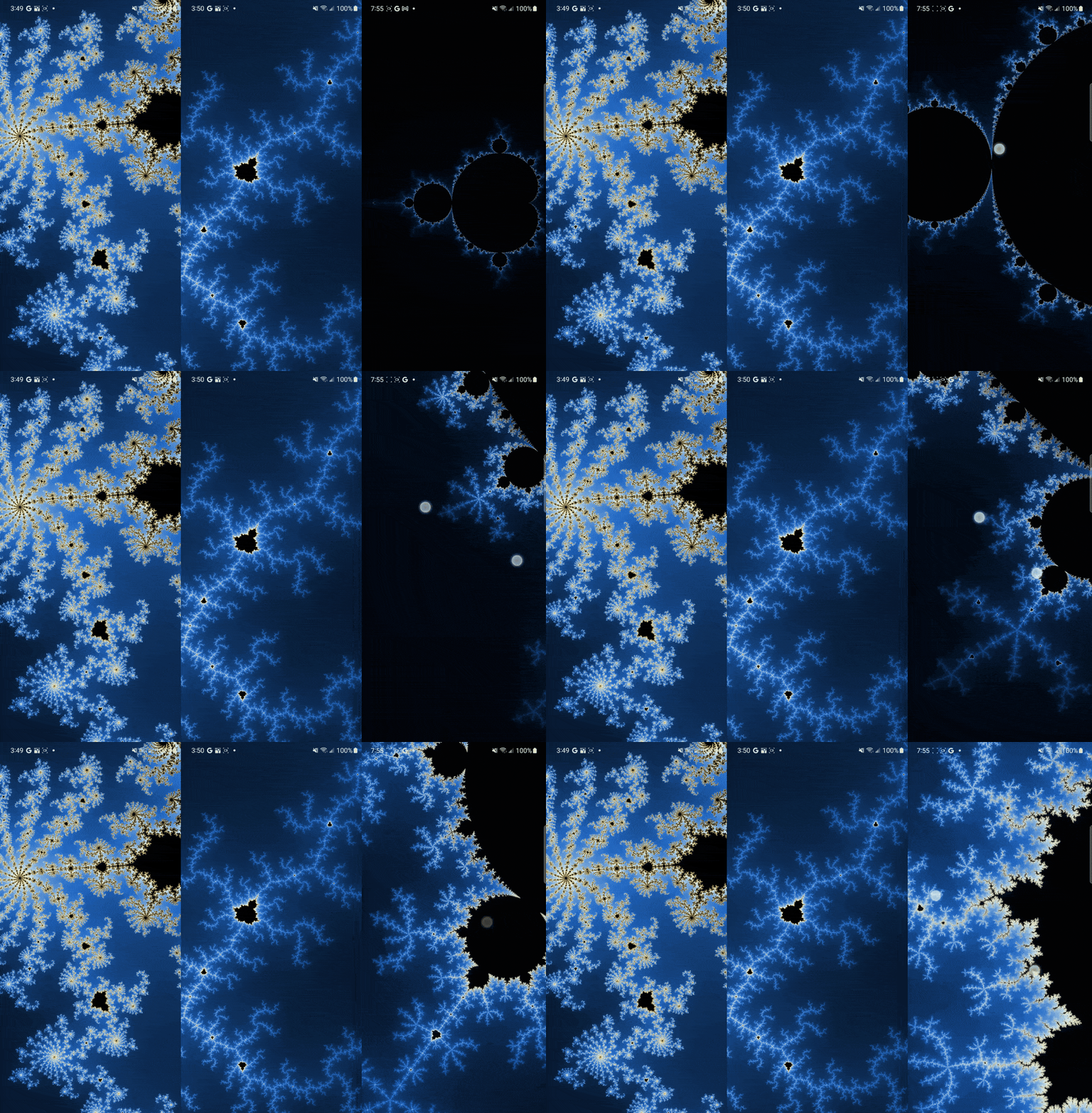
One thing I quickly noticed was how much precision matters. AGSL lets you use half (16-bit floats) for better performance, but in this case, I stuck with regular float (32-bit). The difference was especially visible along the edges — higher precision kept them clean and sharp.
Of course, floating-point math has its limits, and you can’t zoom into a fractal forever. But compared to PNGs or Lottie files, shaders have a huge advantage: they are resolution-independent. The image isn’t being stretched — it’s generated on the fly. That means the fractal stays perfectly sharp on any screen, whether it’s a small phone or a large tablet.
I’ve shared the full shader code on GitHub. Feel free to take a look if you’re curious how the math turns into these vibrant, animated visuals.
Link to GitHub: MandelbrotScreen.kt
Julia set
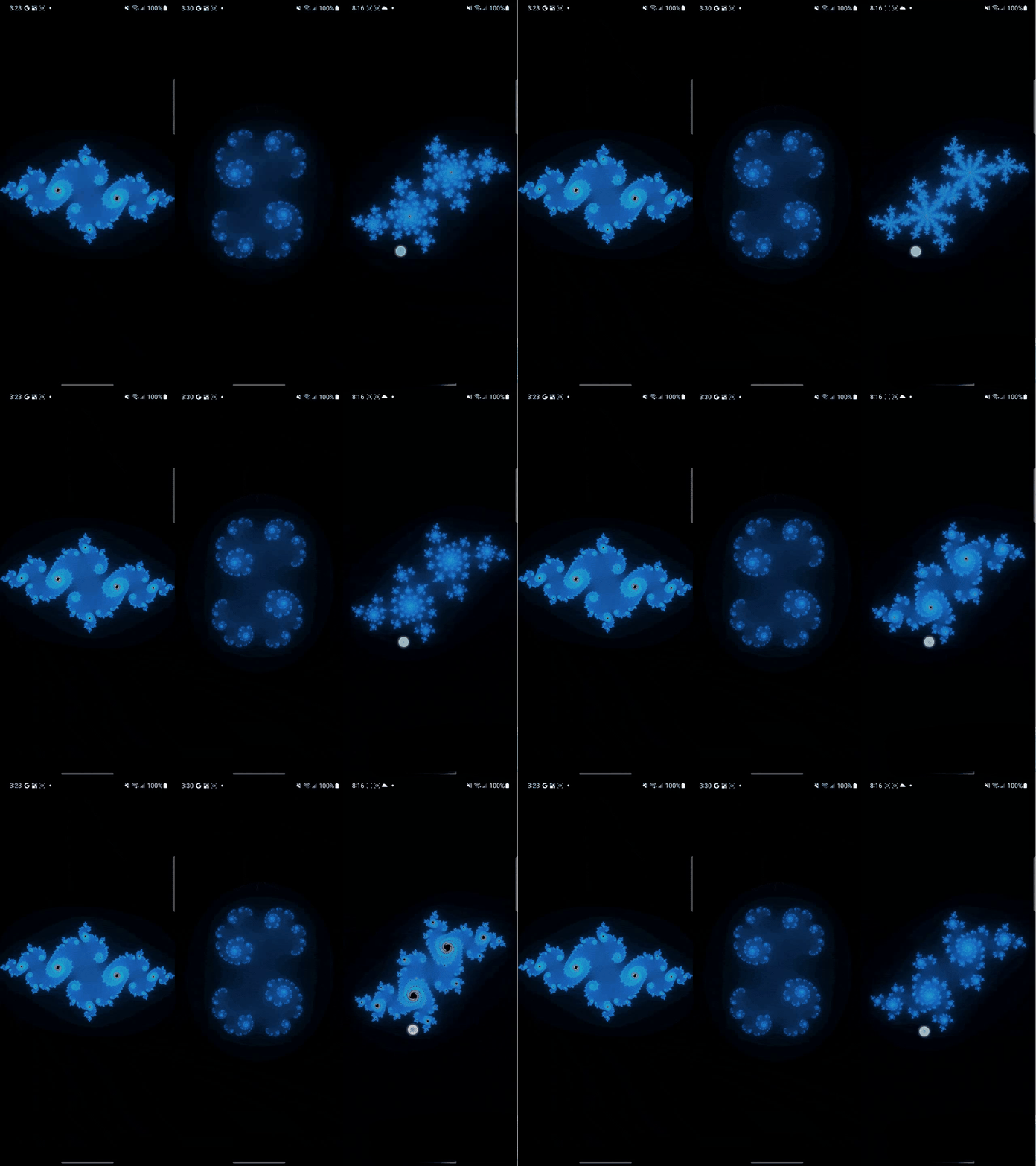
While the Mandelbrot set is a great power demo, the Julia set is where things get interactive. The unique thing about the Julia set is that its entire shape depends on a single constant. By tying this constant directly to the touch coordinates, I made the fractal “morph” and change its structure in real-time as you move your finger across the screen.
In my implementation, I passed the touch position as a uniform to the AGSL shader. This creates a very direct, tactile feeling: the math reacts instantly to your input. There’s something hypnotic about seeing such complex patterns reshape themselves perfectly under your fingertip.
The Reality of Performance
Let’s talk numbers. Even though I was just “playing around” and didn’t aim for extreme optimization, the performance results were quite revealing. I used the Android Studio Profiler to see what was happening under the hood:
- Average Frame Time: ~7 ms. This is a great result for a complex iterative fractal. It means the shader stays well within the 8.3ms window required for a smooth 120Hz display experience. The GPU handles the heavy lifting, leaving the CPU free for other tasks.
- The First Frame: 84 ms. The very first time the shader is rendered, there’s a noticeable spike. This is the time the GPU driver takes to compile the AGSL code. It’s a one-time “tax” you pay when the shader is initialized, but once it’s compiled, it runs incredibly fast.
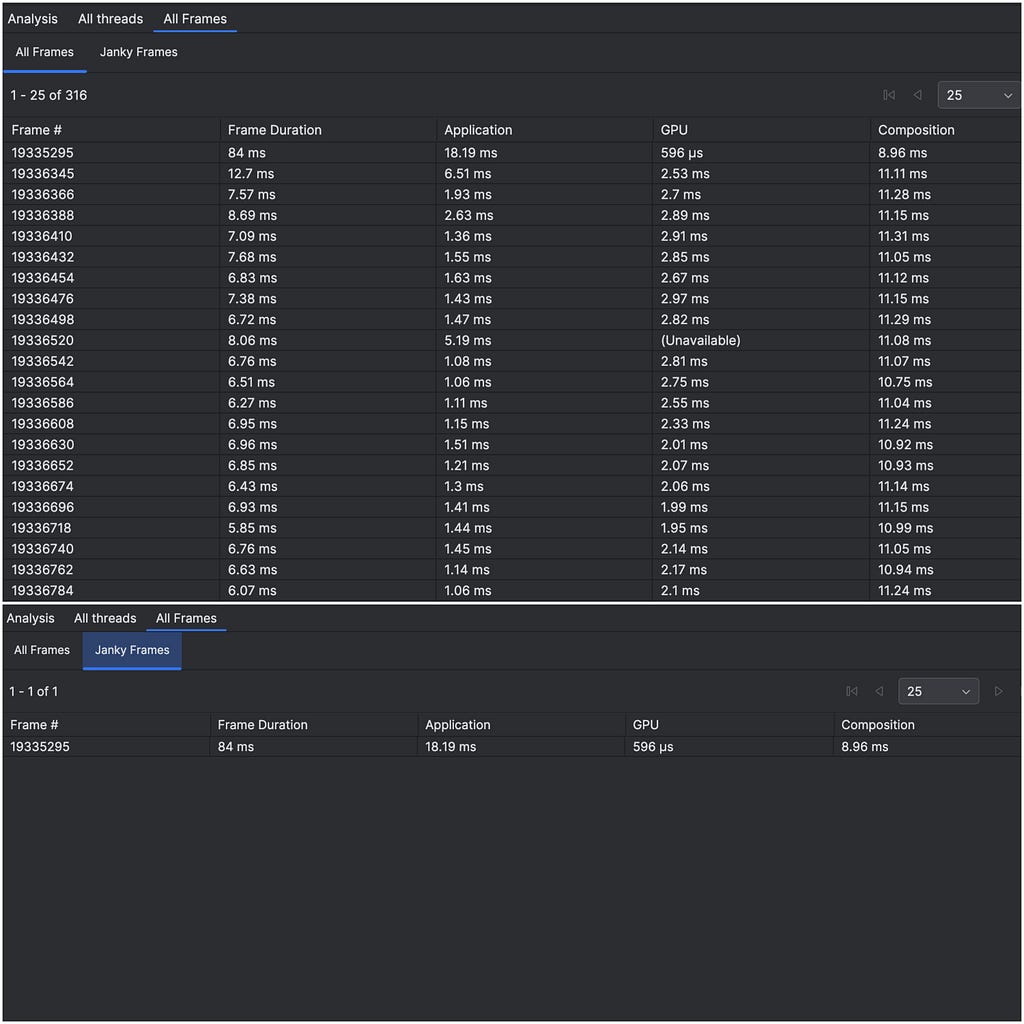
Even without deep optimization, it’s impressive to see millions of calculations happen in under 7ms on a mobile device. It shows that AGSL can handle heavy, interactive visuals while keeping the UI perfectly responsive.
Link to GitHub: JuliaScreen.kt
Let’s Replace Everything with Shaders
(Spoiler: please don’t.)
After rendering the Mandelbrot and Julia sets and seeing how good the results were, a very tempting thought crossed my mind:
If shaders work this well for fractals, why not use them in a real product?
I’m currently working on a streaming platform, and like most modern apps, we rely heavily on animations. Some of them are implemented with Lottie, others are short MP4 videos carefully crafted by designers. They look polished, expressive, and — importantly — they already work.
But shaders are lightweight, dynamic, and resolution-independent… so what if I replaced those heavy assets with pure math?
At first, the idea sounded great. No more large JSON files. No more video decoding. Just code, parameters, and the GPU doing its thing.
In practice, this is where things started to fall apart.
Lottie and video animations encode an enormous amount of visual intent: timing curves, easing, layered motion, subtle transitions, and very specific shapes designed by humans. Trying to recreate that level of detail with shaders quickly turns into a math-heavy nightmare. Every small visual tweak requires rethinking formulas, blending functions, and coordinate systems. What used to be “move this layer slightly to the left” becomes “rewrite half of the shader.”
Instead of simplifying the system, I found myself buried under increasingly complex mathematical logic, trying to approximate what designers had already solved visually. Debugging became painful, iteration slowed down, and the code was far less readable than the original animation assets.
At some point, it became clear: shaders are not a drop-in replacement for Lottie or video animations. They excel at procedural visuals, not at reproducing handcrafted motion design.
That realization forced me to step back and ask a better question — not “Where can I use shaders?”, but “Where do shaders actually make sense?”
The Sweet Spot: Dynamic Backgrounds
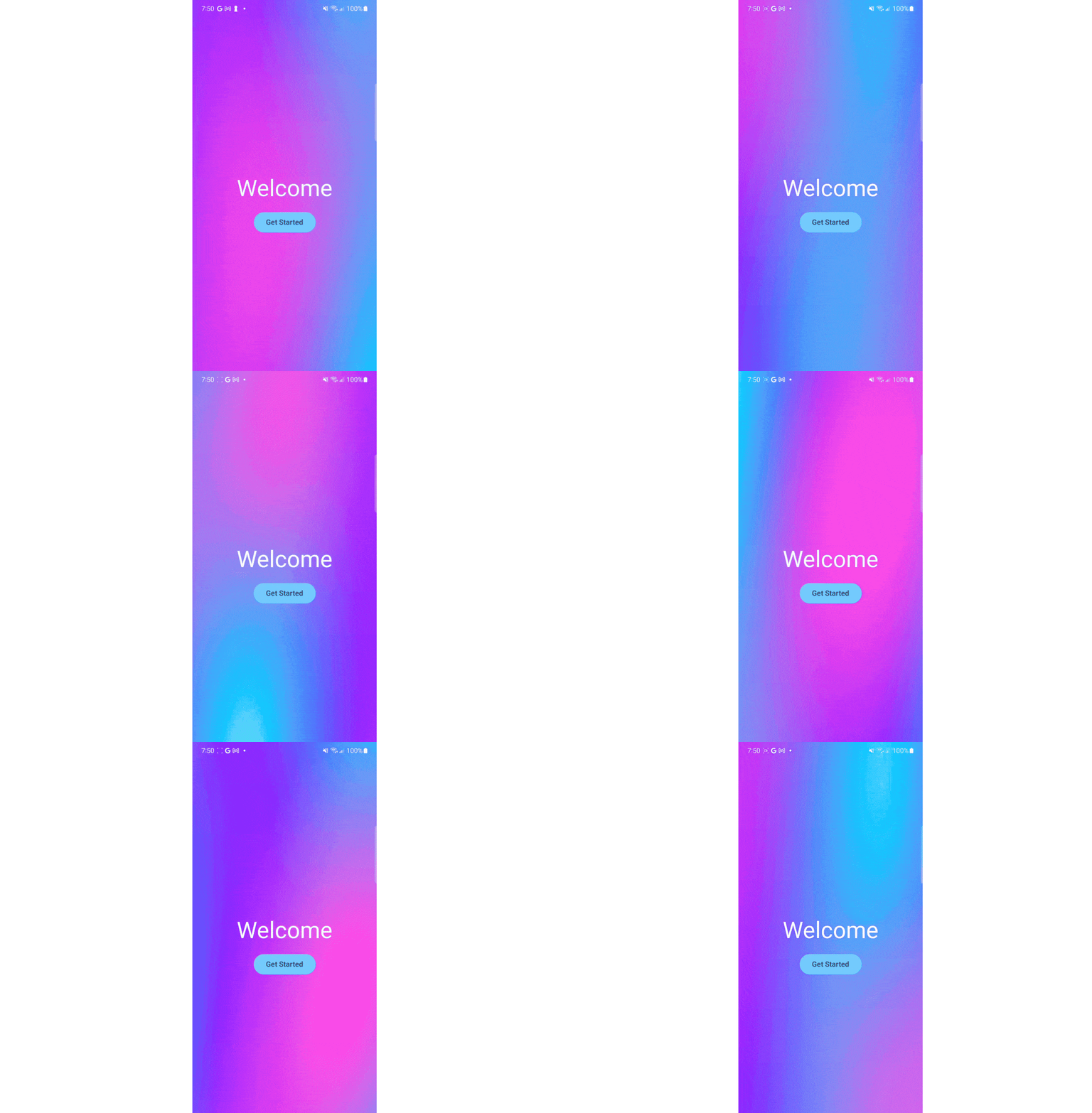
This is how I eventually landed on what I now see as shaders’ most practical use case in modern Android apps: animated backgrounds. Unlike a character animation or a branded icon, a background doesn’t require pixel-perfect, human-authored timing. It benefits from being fluid, organic, and infinitely diverse.
For the Animated background effect, I used layered sine wave interference patterns to create motion that feels alive.
This approach offers three major wins:
- Zero Payload: The entire animation is just a few lines of code, adding 0kb to the APK compared to megabytes of video files.
- Infinite Scaling: Shaders render at native resolution on any device — from a small phone to a 4K tablet — without pixelation.
- Real-time Flexibility: By passing colors as uniforms, I can instantly swap the app’s mood (e.g., from “Ocean” to “Sunset”) via Compose state, something impossible with pre-rendered assets.
By wrapping this into a custom Modifier.animatedBackground(), I found a way to deliver premium visual polish where the GPU provides the motion, and the code stays lightweight and maintainable.
Link to GitHub: AnimatedBackground.kt
Summary
Shaders are an incredibly powerful tool — but only when used for the right problems.
In this article, I explored AGSL through fractals as a way to understand how shaders really behave on Android. Rendering the Mandelbrot and Julia sets showed just how efficient the GPU can be when dealing with massively parallel, math-driven visuals. At the same time, trying to replace real product animations with shaders helped me clearly see their limits.
Shaders don’t replace Lottie or video animations. They shine in procedural, dynamic scenarios where visuals are generated, not authored — and animated backgrounds turned out to be the perfect example of that balance.
For me, this journey wasn’t about finding a silver bullet, but about understanding where shaders truly belong in a modern Android app.
Let’s talk 👇
I’m curious — are you using shaders in your Android apps today?
If yes, what problems are you solving with them?
And if you’re interested in a deeper, more technical breakdown of fractals on Android (including the math and shader details), let me know in the comments. I’d be happy to dive deeper in a follow-up article.
Thanks for reading! If you found this helpful and interesting, please give it a clap and follow for more Android tips. Let’s connect on LinkedIn↗ or Instagram↗. I’d love to hear your thoughts, ideas, and experiences.
Happy coding! 😃
Shaders on Android: From Fractals to Real UI was originally published in ProAndroidDev on Medium, where people are continuing the conversation by highlighting and responding to this story.




This Post Has 0 Comments