


Displaying a list of items has always been a part of user interfaces. We can see it in almost every app, but it comes with some challenges to the user experience, like waiting for new items to load after scrolling or seeing a janky, unresponsive screen, which can lead to a poor experience for users. Handling these efficiently is essential for providing a great user experience.
TL;DR
Nothing fancy, just one line.
val pinnableContainer = LocalPinnableContainer.current
The Problem
With the rise of generative AI, many chat apps now display assistant responses with character by character or word by word animations. This is great for showing the answer generation in real time (even some apps handle generation like animation on the client side). But, as mentioned earlier, displaying these animations in a list comes with UX challenges. Messages are usually shown in lazily loaded lists, which dispose of items when they scroll out from viewport. For example, if we mark a message as read when its animation finishes, scrolling it out of view and back will restart the animation, because the framework has disposed of the item.

Solutions
- So, we need items to stay active when user move out of the viewport. You can use Column with verticalScroll. In this setup, all items remain in memory and continue working even when they are not visible. The trade off is performance: for very large lists this can become inefficient. In most cases, LazyColumn is the better choice, since it only composes the items currently visible on screen.
https://medium.com/media/ef40a97349de563205da0c174289f03d/href
Displaying items with a simple for loop comes with another issue: item indexing. Imagine you have 100 items and you update or delete the one at position 45. In this case, all items from 45 to 99 will be recomposed, even though only a single item actually changed. The reason is that compose compiler uses execution order to decide what needs to be redrawn. To avoid these unnecessary recompositions, we can use the key composable. By assigning a stable identifier to each item, it helps the compose compiler to see them as distinct, so only the affected item gets recomposed.
https://medium.com/media/f33169f88e1580d54e8ac604852b9477/href
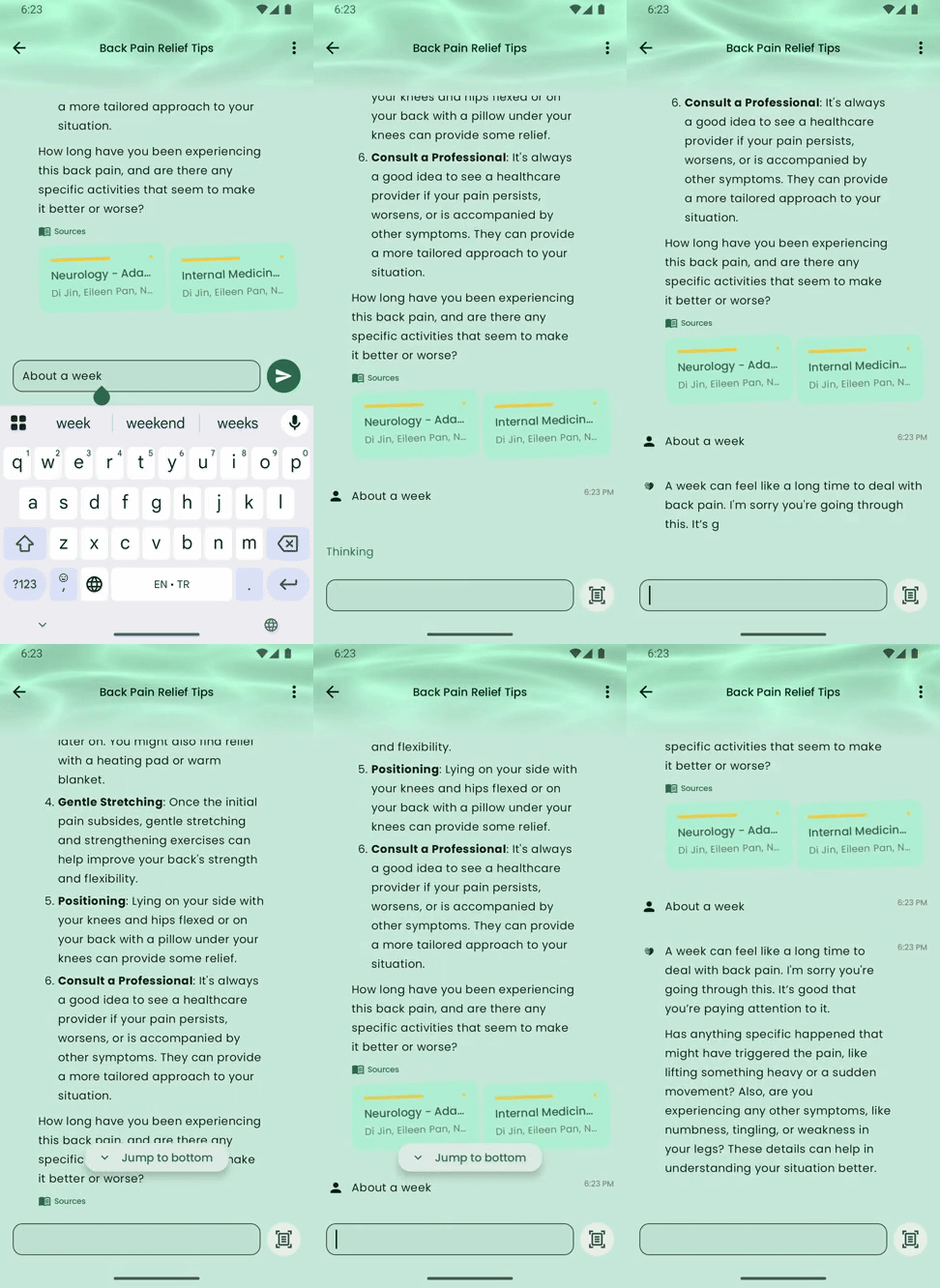
2. Using LazyColumn is usually the best practice since it only composes the items in the viewport and provides a keyparameter by default. But, it still disposes items once they move out of view, which can be a problem in some cases. To solve this, compose introduced PinnableContainer in version 1.4.0, allowing you to keep specific items pinned in memory instead of them being disposed. Also we should release the pin when the content is not important anymore.
https://medium.com/media/3008bbb3fbaae3d7b0eef191bbdd2e89/href

Result
Using PinnableContainer requires just one line: pinnableContainer?.pin(). This keeps the item active even when it scrolls out of view, so animations and effects continue uninterrupted.
I also wanted to highlight the problem from other views and share my thoughts on alternative solutions. In the end, it’s just a one line solution. :D
References
- https://developer.android.com/reference/kotlin/androidx/compose/ui/layout/PinnableContainer
- https://developer.android.com/reference/kotlin/androidx/compose/ui/layout/PinnableContainer.PinnedHandle#release()
- https://stackoverflow.com/questions/68790215/lazycolumn-items-key-parameter-purpose#
- https://ezgif.com/ Really helpful for converting emulator videos (.mp4) into GIFs, and it gave me better results than cloudconvert.com and Adobe’s video converter.
You Shall Not Pass or Dispose was originally published in ProAndroidDev on Medium, where people are continuing the conversation by highlighting and responding to this story.





This Post Has 0 Comments