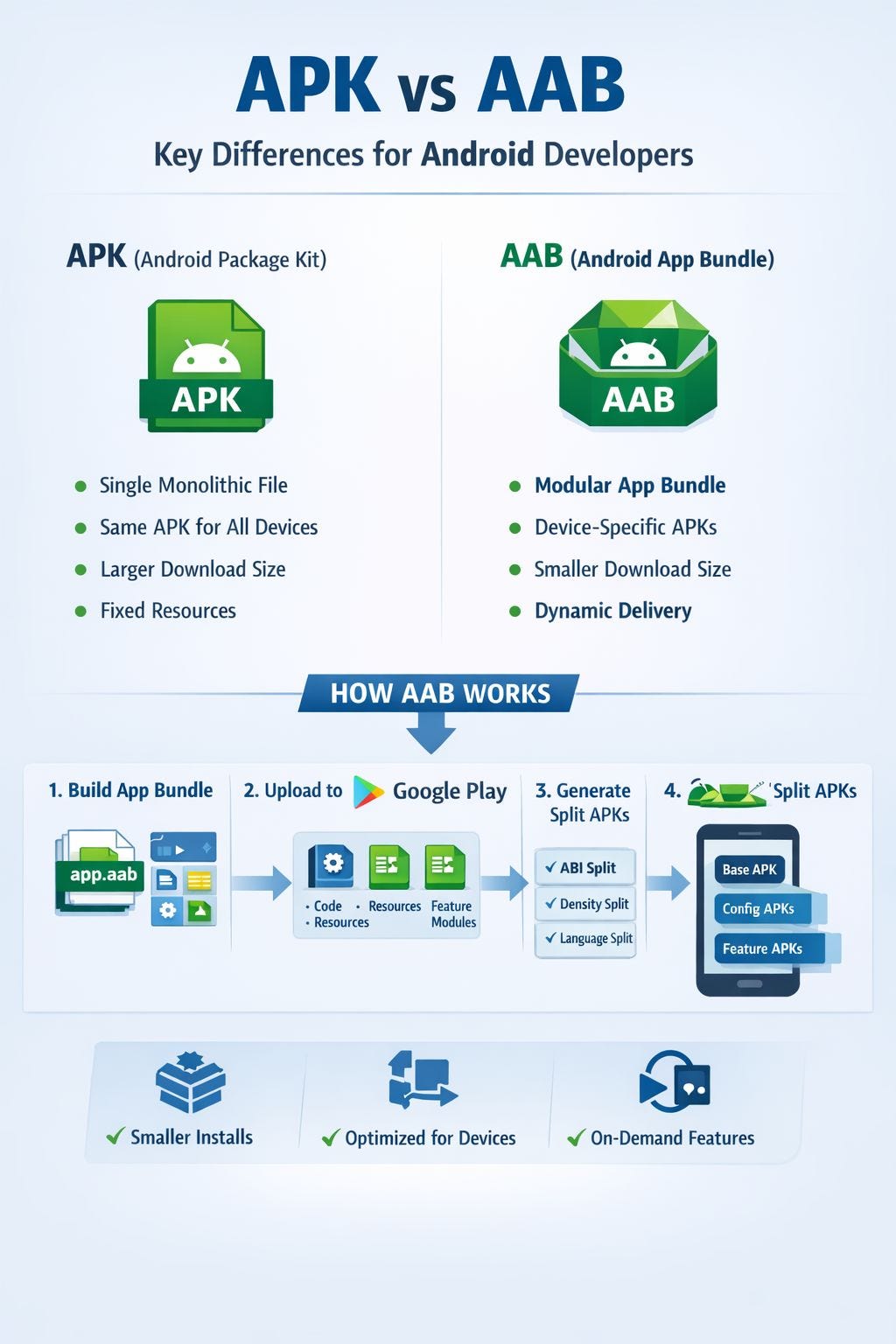

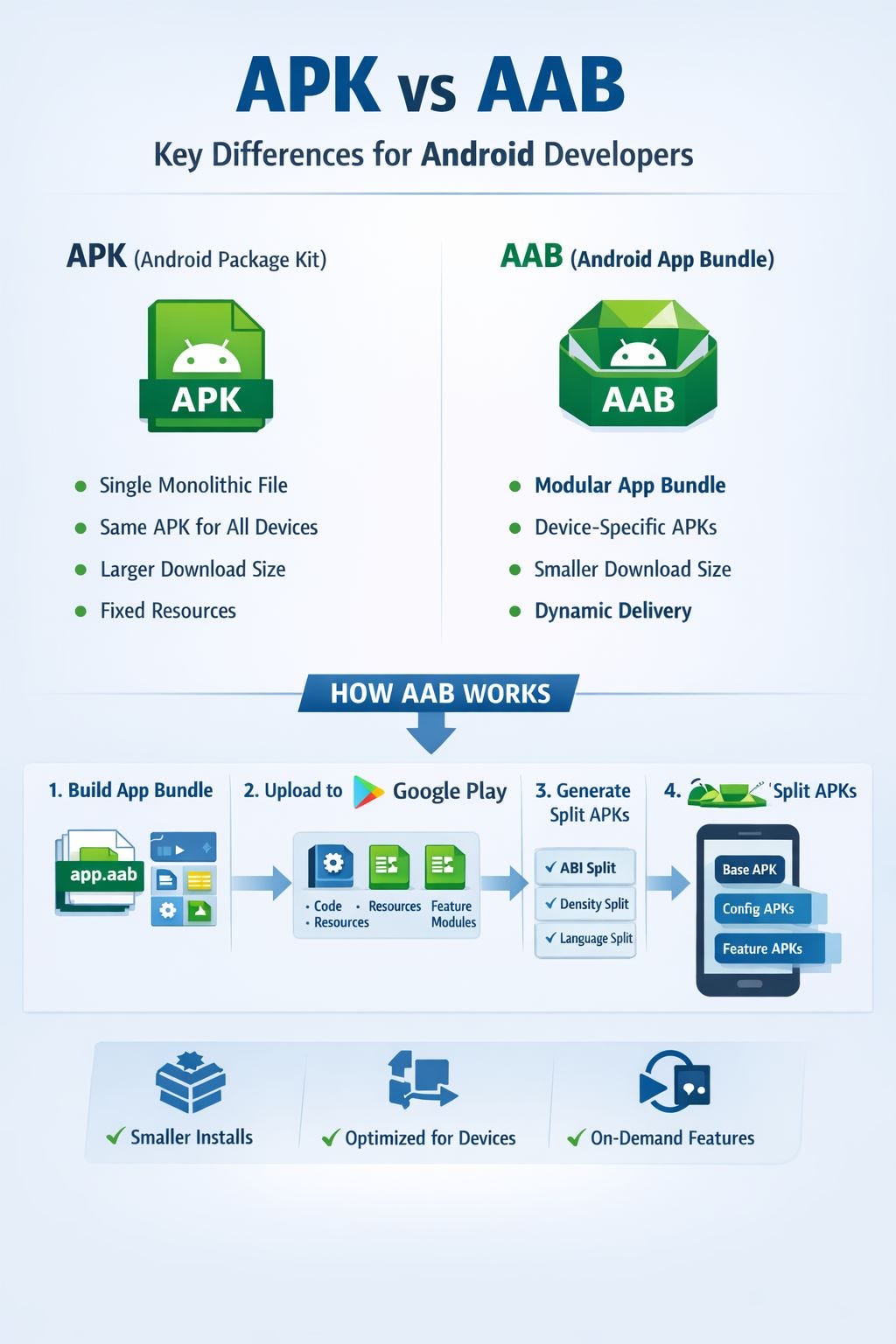
A deep dive into the hidden Google Play pipeline that converts Android App Bundles into device-specific APKs for faster and smaller app installs.
Intro
When you upload an Android App Bundle (.aab) to Google Play, users never actually download that file.
Instead, they install APKs.
Yes, even though developers can no longer upload APKs to Google Play.
So what really happens after you upload an AAB?
Behind the scenes, Google Play runs a delivery pipeline that converts your bundle into optimized APKs tailored for every device.
Understanding this pipeline explains why modern Android apps are smaller, faster to install, and more modular than ever before.
The entire Android App Bundle delivery pipeline can be simplified like this:
Let’s break it down.
The Big Shift: APK → AAB
For years, Android apps were distributed as a single APK file.
Every user downloaded the same package, regardless of their device configuration.
That meant:
- Devices downloaded all languages
- All screen densities
- All CPU architectures
Even if they only needed one.
Android App Bundles changed this completely.
Instead of uploading an installable file, developers now upload a bundle of modules and resources that Google Play uses to generate optimized APKs.
What an Android App Bundle Actually Contains
When Android Studio generates an .aab, it packages the app into modular components.
A simplified bundle structure looks like this:
base/
 ├── manifest/
 ├── dex/
 ├── res/
 ├── lib/
 └── resources.pb

feature_login/
feature_payment/
feature_chat/
1. Base Module
The base module contains:
- core app code
- essential resources
- app entry point
It is always installed.
2. Dynamic Feature Modules
These modules allow features to be installed on demand.
Examples:
- login
- payments
- chat
- onboarding
This means users only download features when they need them.
3. resources.pb
Instead of standard XML packaging, resources are compiled into Protocol Buffers.
This makes it easier for Google Play to analyze and optimize resources during processing.
What Happens After You Upload an AAB
Once your bundle is uploaded, Google Play runs it through the App Bundle Processing Pipeline.
Think of Google Play as the final build system for your app.
The pipeline includes three major steps.
1. Bundle Validation
Google Play verifies:
- signing configuration
- manifest structure
- module configuration
- compatibility
If something is incorrect, the upload fails.
2. Resource and Code Optimization
Next, Google Play analyzes the bundle to determine:
- supported CPU architectures
- available languages
- screen densities
- optional modules
Resources that a device will never need are removed.
3. Split APK Generation
Instead of creating a single large APK, Google Play generates multiple smaller APKs.
These include:
– Base APK
Contains core application logic.
– Configuration APKs
These APKs contain device-specific resources.
Examples:
ABI splits
arm64-v8a
armeabi-v7a
x86
Screen density splits
tmdpi
hdpi
xhdpi
xxhdpi
Language splits
en
fr
es
de
– Dynamic Feature APKs
Optional features that are downloaded only when needed.
For example:
If a user never opens the chat feature, the chat module is never installed.
What Actually Happens When a User Installs Your App
Here’s the simplified delivery flow.
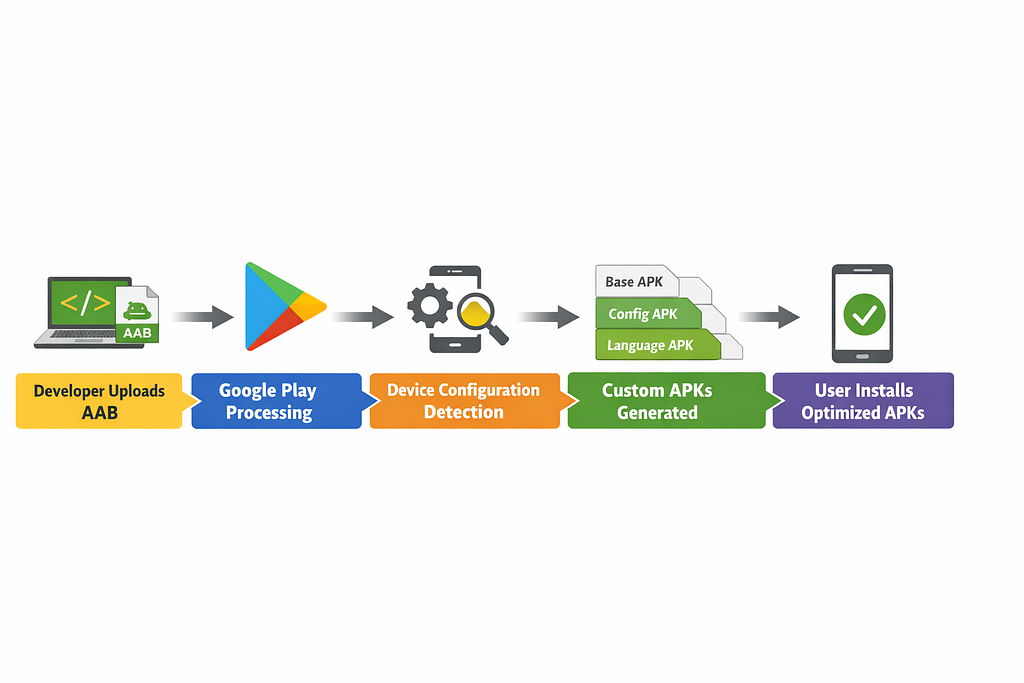
Example Device
A device might have:
ABI: arm64-v8a
Density: xxhdpi
Language: en
Instead of downloading a full universal APK, the user receives:
base.apk
config.arm64_v8a.apk
config.xxhdpi.apk
config.en.apk
This dramatically reduces download size.
Why This Matters in Production
In real-world apps, the impact is significant.
Smaller App Size
Apps are typically 15–30% smaller because unused resources are removed.
Better Install Success Rates
Smaller downloads mean:
- fewer install failures
- faster installs
- better performance on slow networks
Dynamic Feature Delivery
Large features can be downloaded only when required.
This keeps the initial install lightweight.
Play Asset Delivery
Games and large apps can deliver assets:
- during install
- on demand
- conditionally
The Simple Way to Think About It
The difference between APK and AAB delivery becomes clearer with a simple comparison:
Before (APK Distribution)
Developer
    ↓
Universal APK
    ↓
Every Device Downloads The Same File
(ALL languages, ALL densities, ALL architectures)
After (AAB Distribution)
Developer
    ↓
Android App Bundle (AAB)
    ↓
Google Play Processing
    ↓
Device-Specific APK Set
    ↓
User Downloads Only What Their Device Needs
Google Play effectively became the final stage of the Android build pipeline.
Final Thoughts
Android App Bundles are more than just a new publishing format.
They fundamentally changed how Android apps are packaged and delivered.
By generating device-specific APKs, Google Play ensures that users download only what their device actually needs.
The result:
- smaller apps
- faster installs
- modular features
- better performance at scale
Once you understand the pipeline, AAB stops feeling like a black box.
Thanks for reading this article. Hope you would have liked it!. Please clap, share, and subscribe to my blog to support.
You Upload an AAB… But Users Still Install APKs. Here’s What Google Play Actually Does was originally published in ProAndroidDev on Medium, where people are continuing the conversation by highlighting and responding to this story.



This Post Has 0 Comments